

Overview
The Testimonials Grid widget in DesignSute helps you display customer reviews and feedback in a clean, structured grid layout. With multiple layout styles, flexible column controls, and detailed styling options, you can present testimonials in a professional and trustworthy way that builds credibility and boosts conversions.
This widget is ideal for showcasing client feedback, product reviews, or service testimonials across landing pages, homepages, and marketing sections.
Key Features
- 3 unique layout styles
- Adjustable column settings
- Custom gap control between items
- Repeater-based testimonial content:
- Name
- Designation
- Rating
- Image
- Review text
- Full styling control for:
- Item container
- Image
- Rating
- Name
- Designation
- Review text
- Fully responsive design
Perfect for:
- Client testimonials
- Product reviews
- Service feedback
- Agency portfolios
- Trust-building sections
How to Activate the Testimonials Grid Widget
Before using the Testimonials Grid widget, make sure it is enabled from the DesignSute Dashboard.
Steps to Enable:
- Go to DesignSute → Dashboard → Widgets (Tab) in your WordPress dashboard.
- Locate the Testimonials Grid widget.
- Toggle it ON to enable the widget.
- Save changes if required.
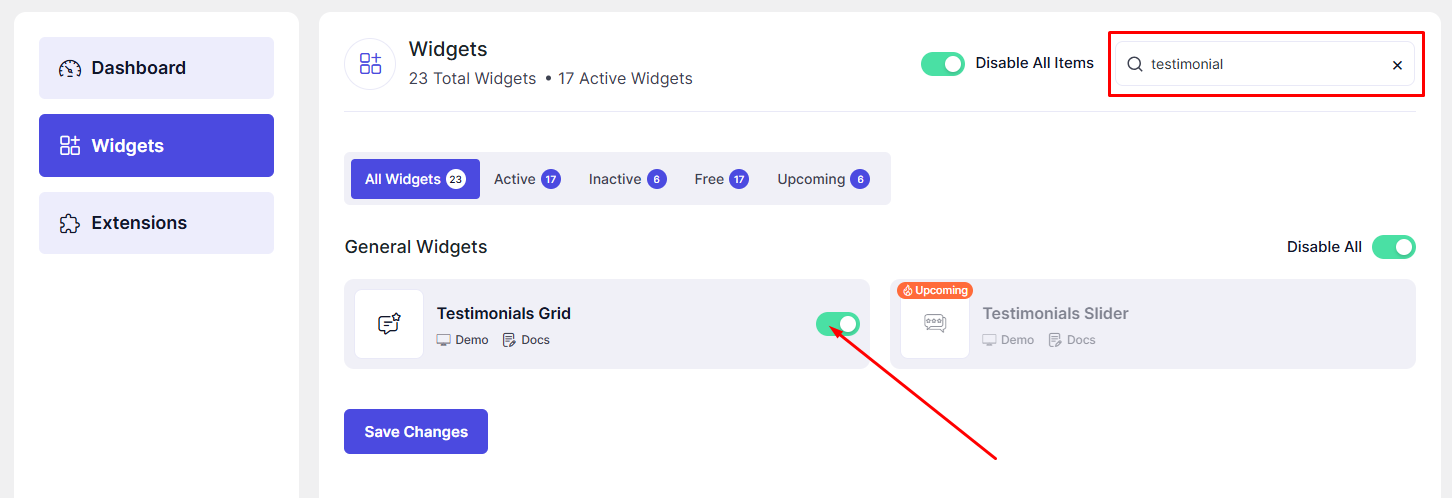
Now, the Testimonials Grid widget is ready to use in Elementor.
How to Add a Testimonials Grid Widget in Elementor
- Open your page in the Elementor Editor.
- Search for “Testimonials Grid” in the Elementor panel under DesignSute widgets.
- Drag and drop the widget into your desired section or column.
- Start adding testimonials using the repeater options.
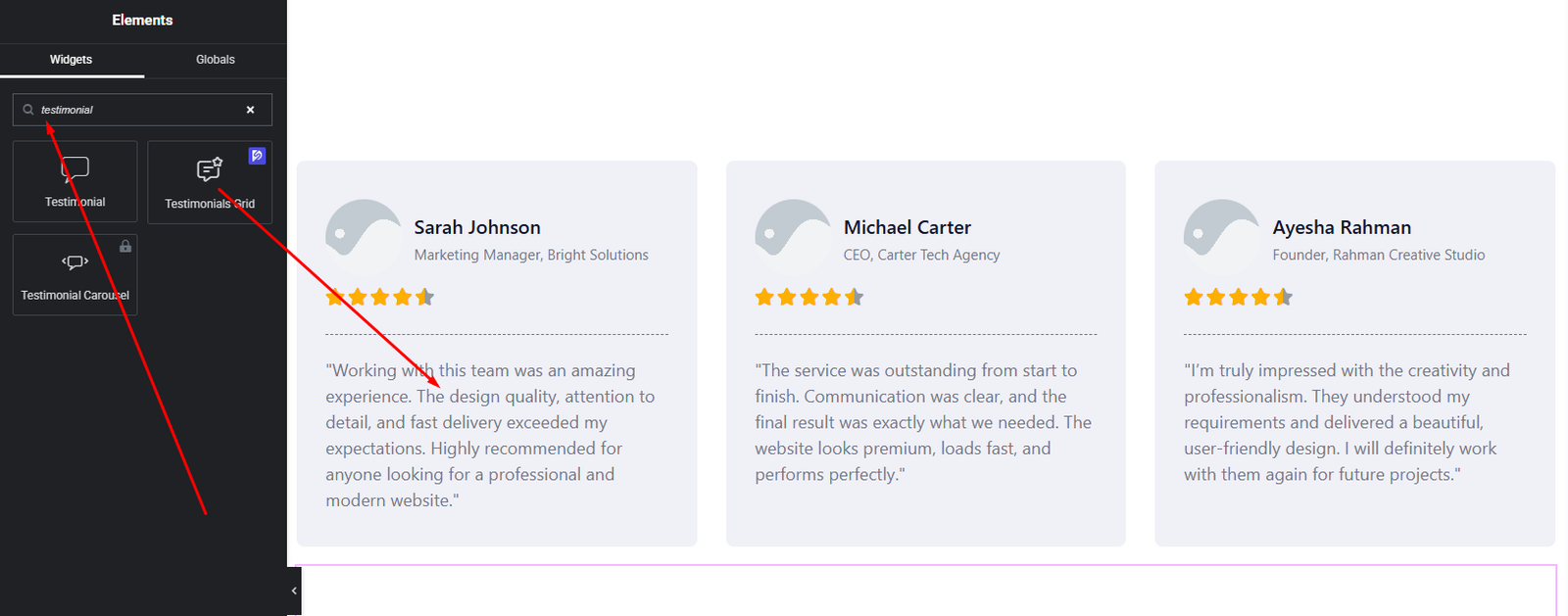
Your Testimonials Grid widget is now added and ready for customization.
Content Settings
The Content tab allows you to manage layout structure and testimonial content.
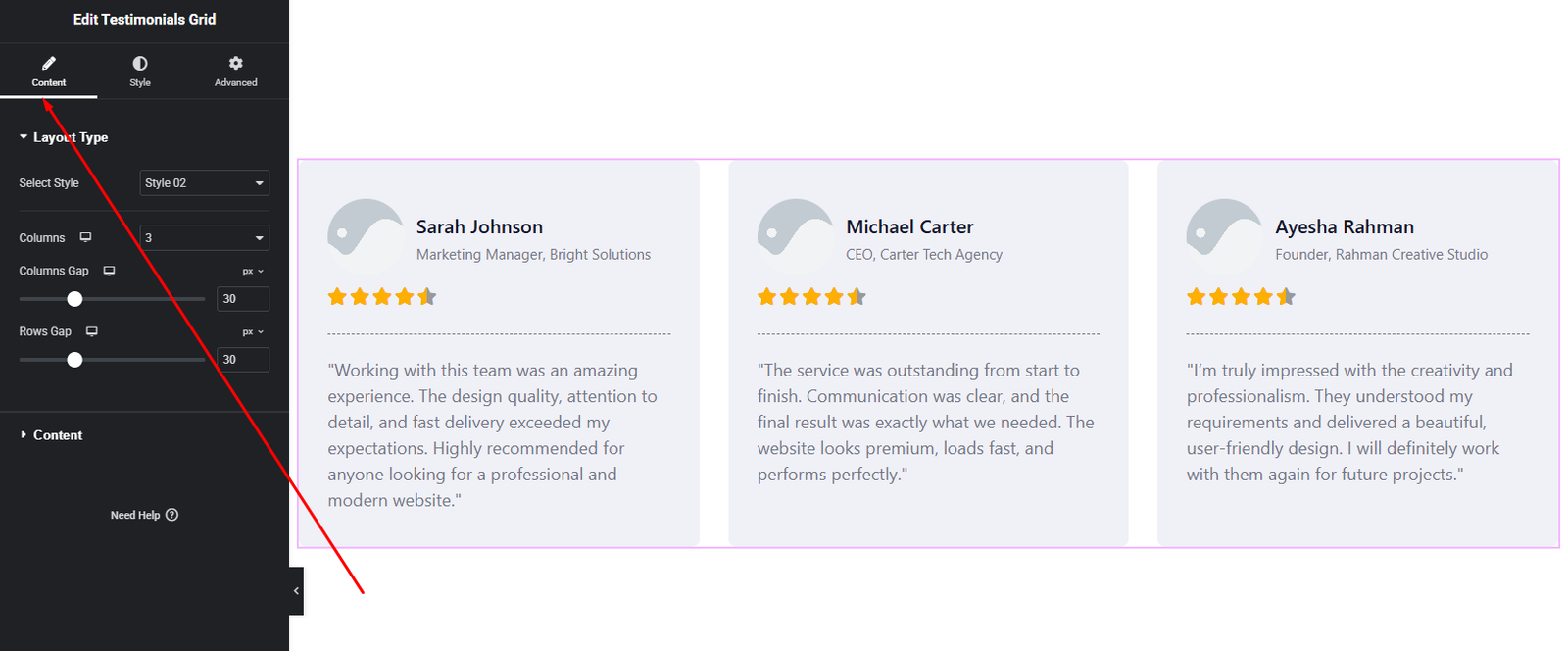
Layout Options:
- Layout Style – Choose from 3 different layout styles to control testimonial appearance.
- Columns – Set the number of testimonial columns for desktop, tablet, and mobile.
- Gap – Adjust the spacing between testimonial items.
Testimonial Repeater
Use the repeater to add multiple testimonials. Each item includes:
- Image – Upload the reviewer’s photo or avatar.
- Name – Enter the reviewer’s name.
- Designation – Add job title, company name, or role.
- Rating – Set star rating to reflect customer feedback.
- Review Text – Add the testimonial content.
These options allow you to display authentic and well-structured testimonials.
Style Settings
The Style tab provides full control over the visual appearance of each testimonial element.
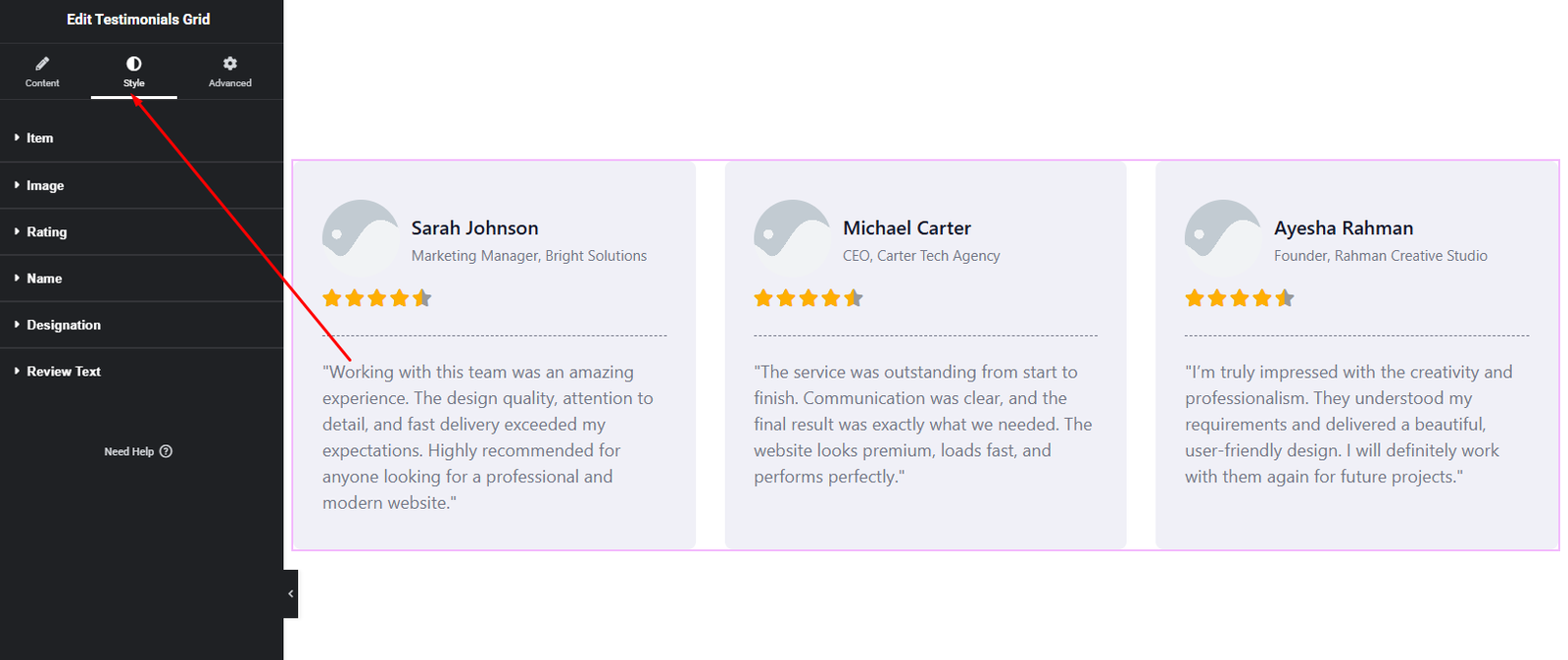
Item Style
- Background color
- Border & radius
- Box shadow
- Padding
Image Style
- Image size
- Border radius
- Spacing
Rating Style
- Star size
- Star color
- Spacing
Text Styles
- Name – Typography & color
- Designation – Typography & color
- Review Text – Typography, color, and spacing
These styling controls allow you to match testimonials perfectly with your site’s branding.
Advanced Settings
The Advanced tab offers additional layout and responsive customization options.
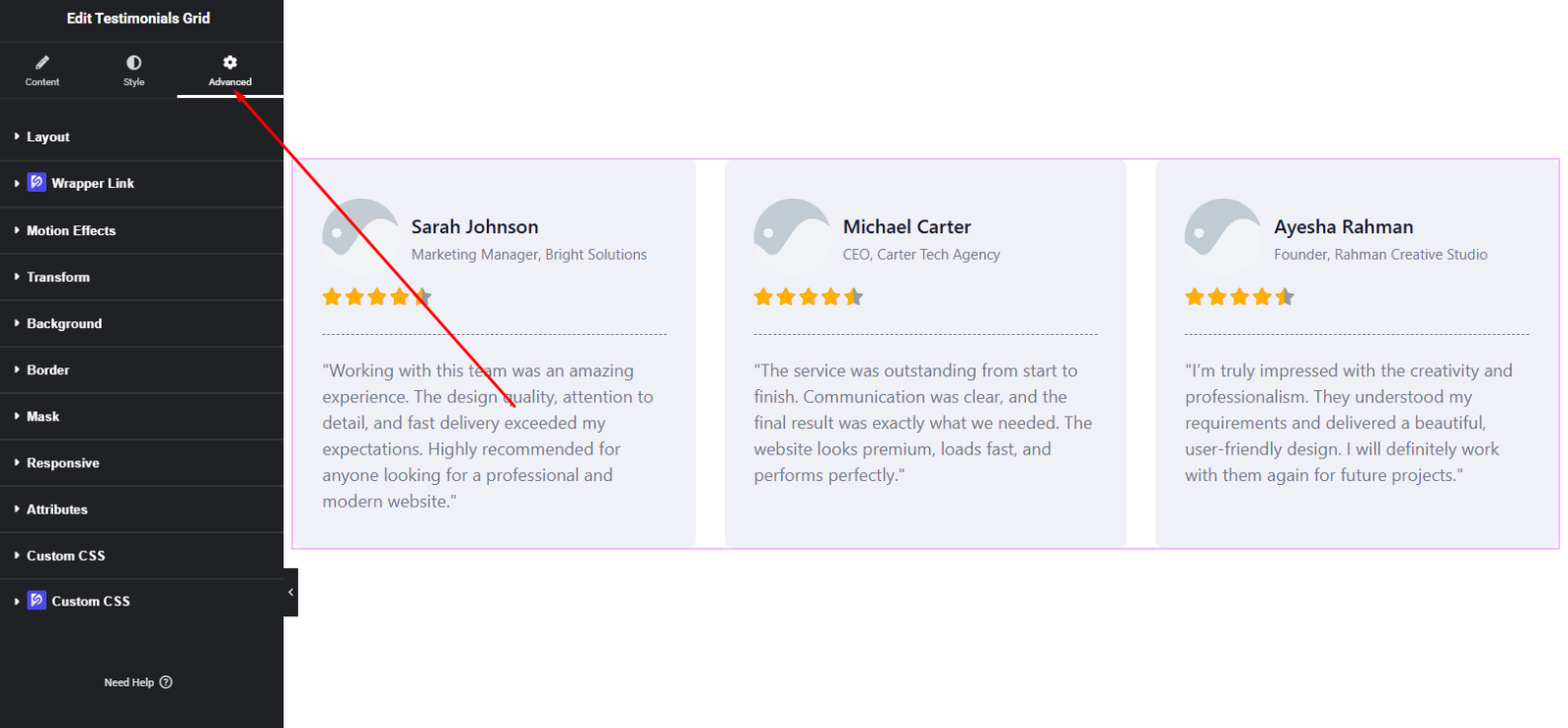
You can configure:
- Margin & Padding
- Background & border settings
- Motion effects
- Responsive visibility
- Custom positioning
Use these options to fine-tune spacing and ensure consistent layout across all devices.
Final Outcome
Congratulations! 🎉
You’ve successfully configured the DesignSute Testimonials Grid Widget to showcase customer feedback in a clean, professional grid layout. With flexible layouts, detailed styling options, and repeater-based content, you can now build trust and credibility through visually appealing testimonials.
If you need any further assistance, feel free to contact our support team.


