

Overview
The Social Share widget allows visitors to easily share your posts or pages on popular social media platforms. This dynamic widget is perfect for Single Post templates, Blog cards, or any content you want users to promote.
Key Features
- Share buttons for multiple social networks
- Works inside Theme Builder templates
- Dynamic post/page URL sharing
- Customizable icons and labels
- Alignment and style options
- Fully responsive
Perfect for:
- Blog posts
- News articles
- Portfolio pages
- Any content you want users to share
How to Activate the Social Share Widget
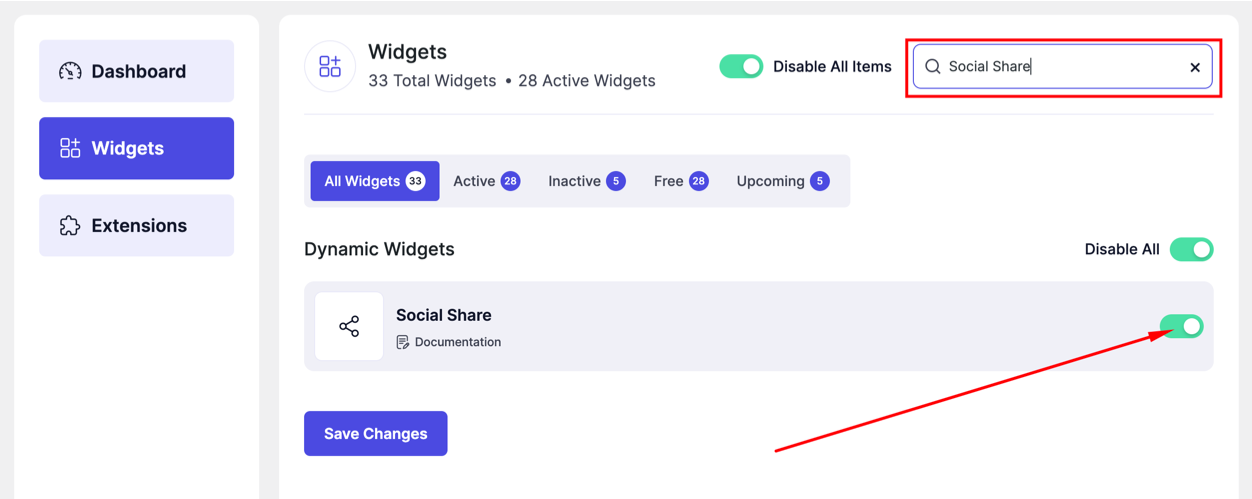
- Go to DesignSute → Dashboard → Widgets (Tab)
- Find Social Share in the widget list
- Toggle it ON
- Save changes if needed
How to Add the Social Share Widget
- Go to DesignSute → Theme Builder
- Create or edit a Single / Archive template
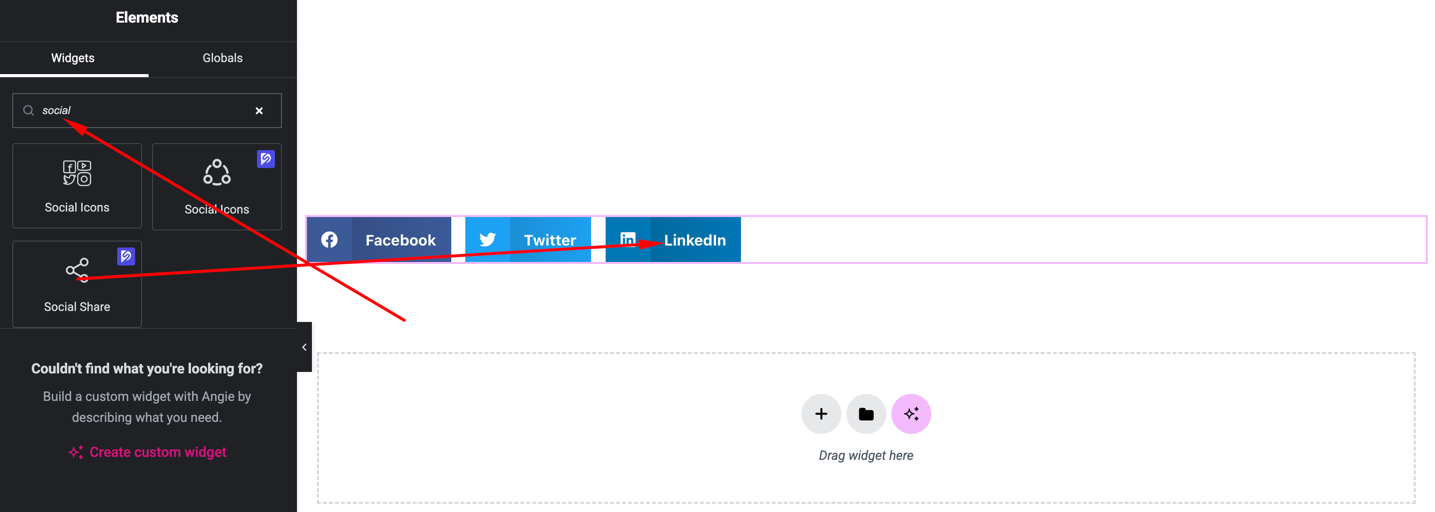
- Open with Elementor Editor
- Search for Social Share
- Drag and drop the widget into your template
Content Settings
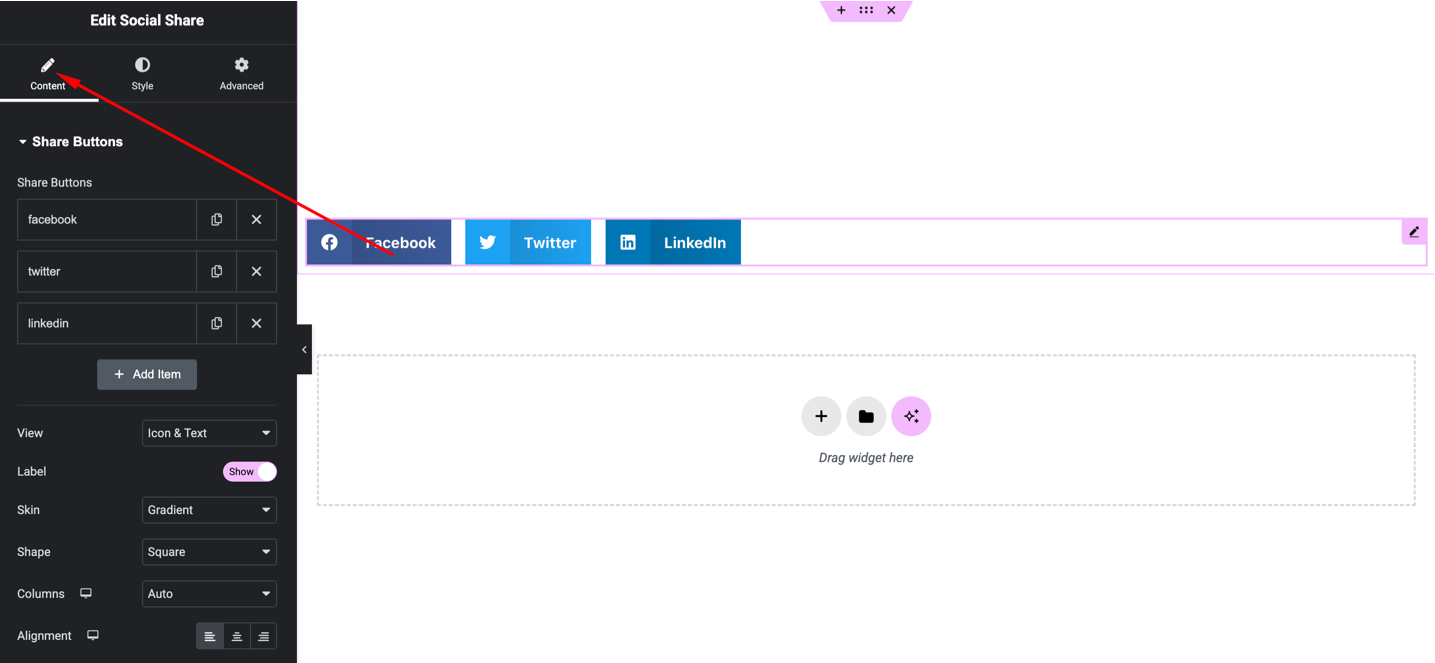
Available options:
- Select Social Platforms – Facebook, Twitter, LinkedIn, etc.
- Label Display – Show or hide text labels
- Alignment – Left, Center, Right
- Icon Size – Adjust icon size
Style Settings
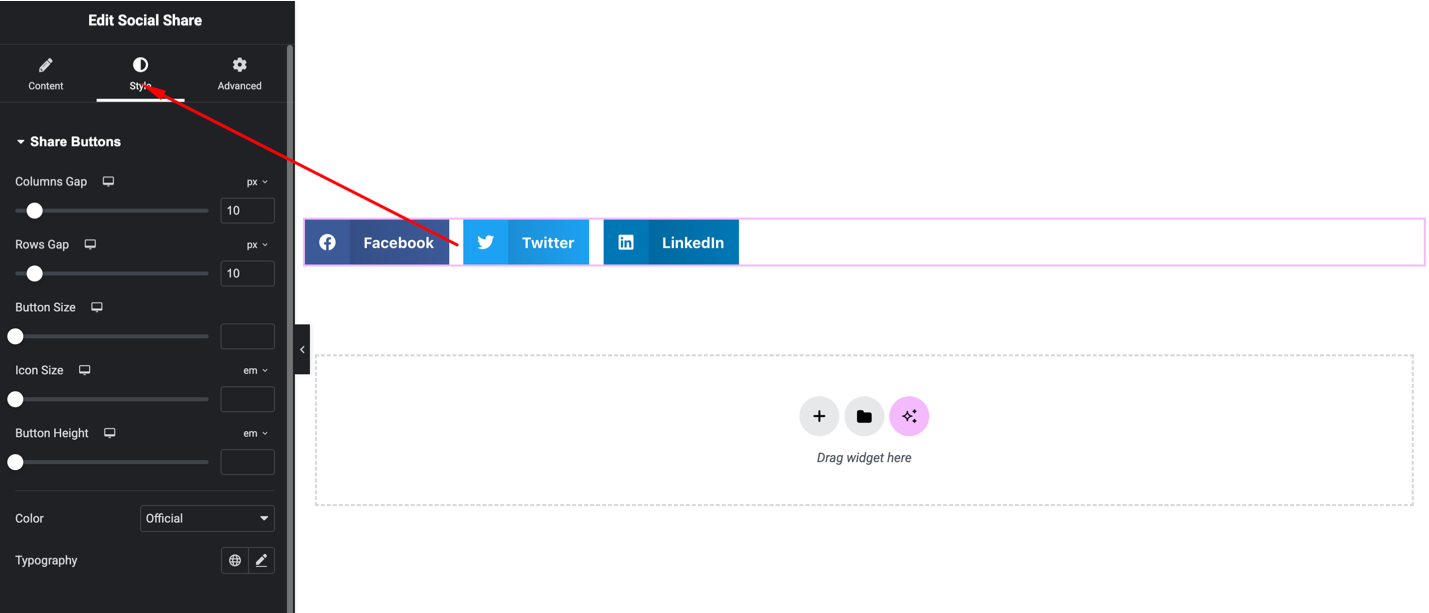
You can customize:
- Icon color (normal & hover)
- Background color
- Border & border radius
- Spacing between icons
- Typography for labels
Advanced Settings
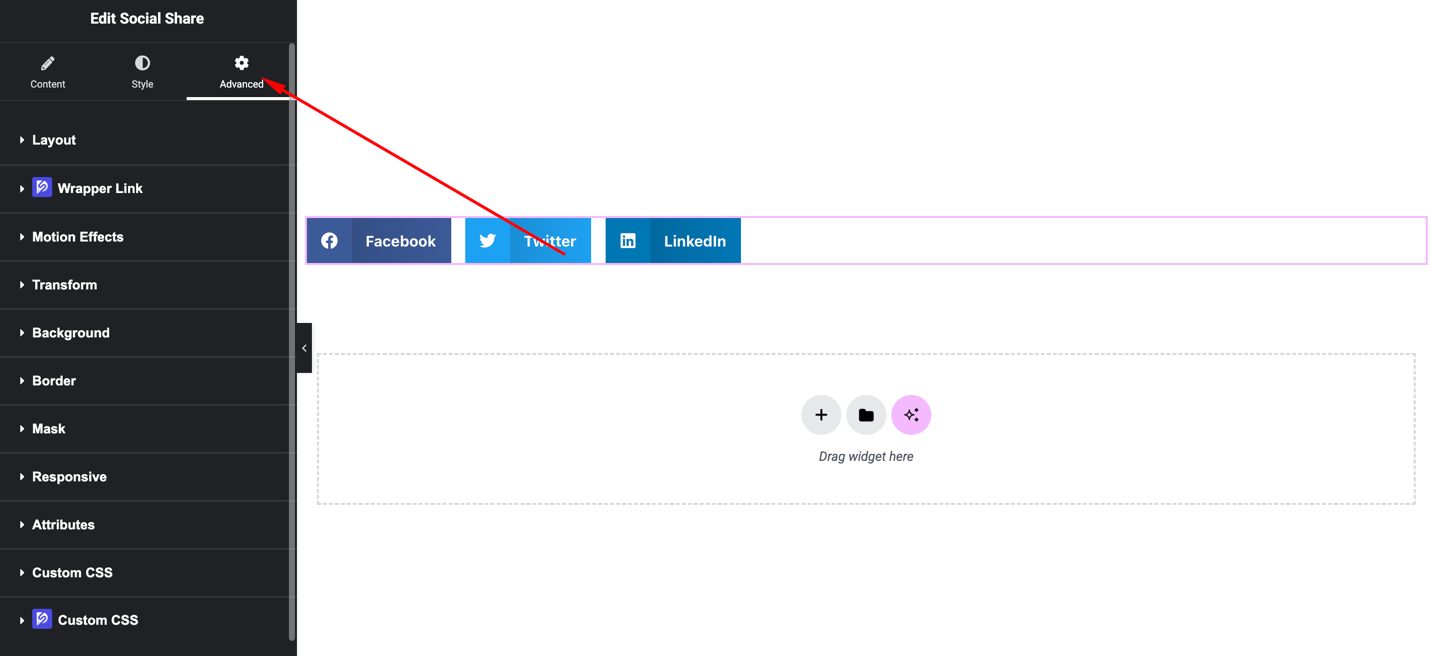
Includes:
- Margin & padding
- Motion effects
- Responsive visibility
- Background & overlays
Final Outcome
🎉 You’ve successfully added the Social Share widget to your Theme Builder template.
Now your visitors can share your content across social media platforms easily, increasing engagement and reach for your website.


