

Overview
The Scroll to Top extension adds a smooth and user-friendly button that lets visitors quickly return to the top of the page. It improves navigation on long pages and enhances overall user experience.
You can choose between a Default button layout or a Progress Circle layout that visually shows scroll progress.
Key Features
- 2 layout styles: Default & Progress Circle
- Smooth scroll behavior
- Site-wide control from Site Settings
- Fully customizable styles
- Responsive and lightweight
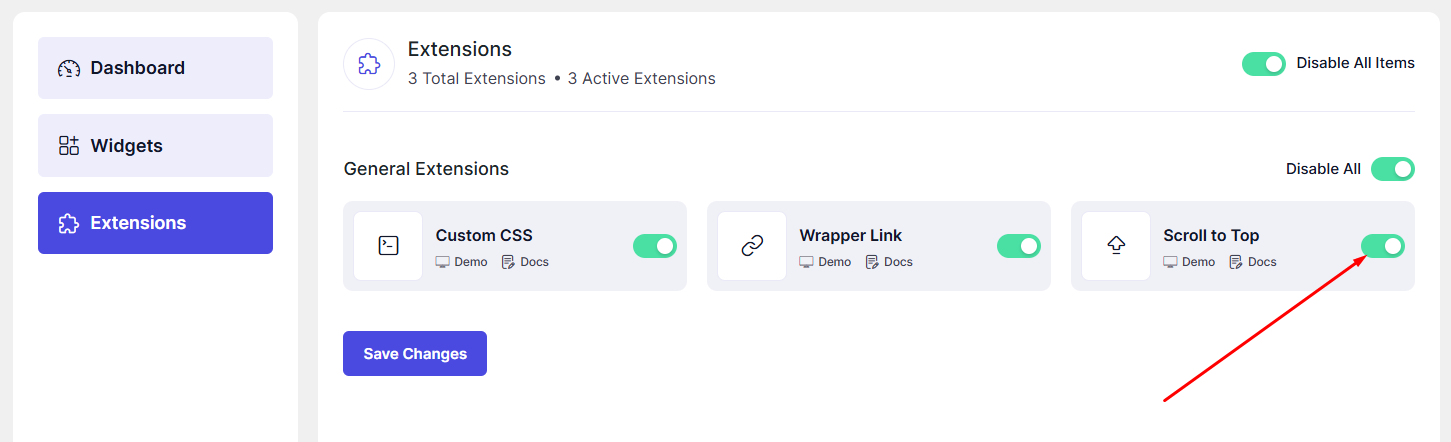
How to Enable Scroll to Top
- Go to DesignSute → Dashboard → Extensions (Tab)
- Enable Scroll to Top
Where to Configure (Site Settings)
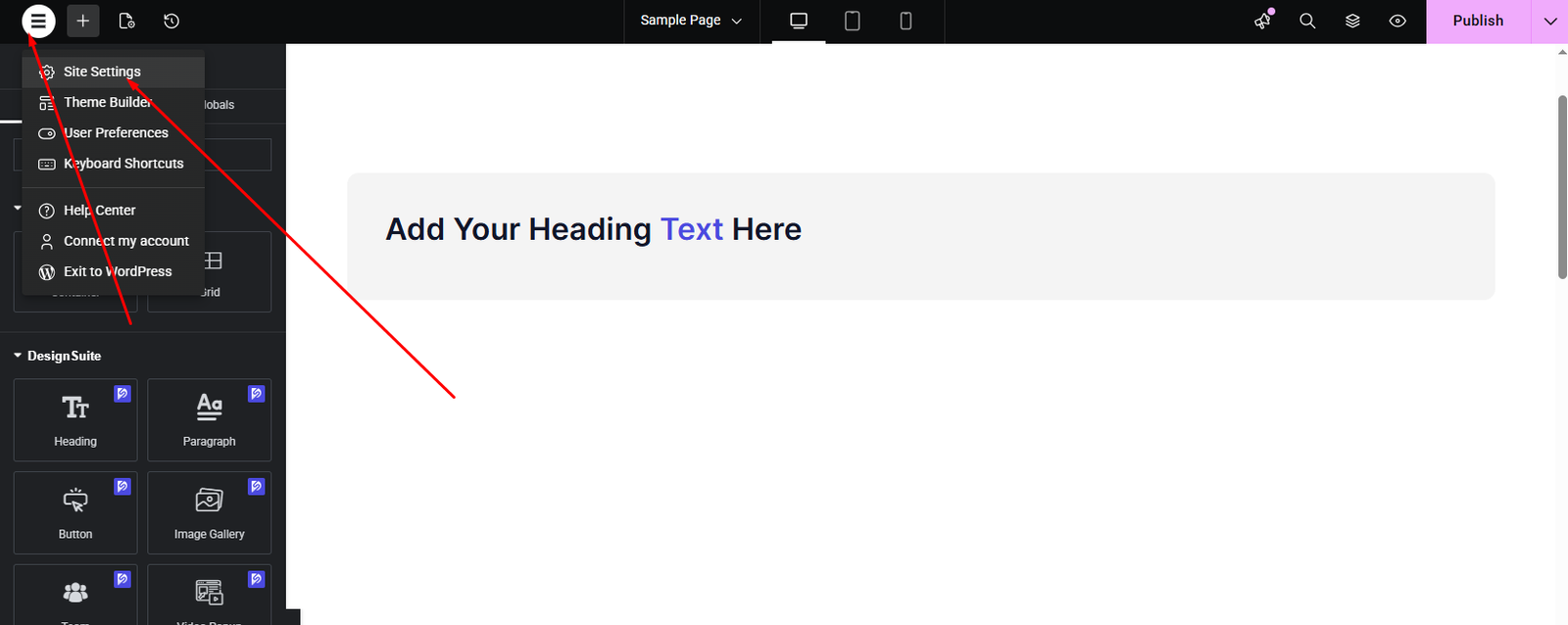
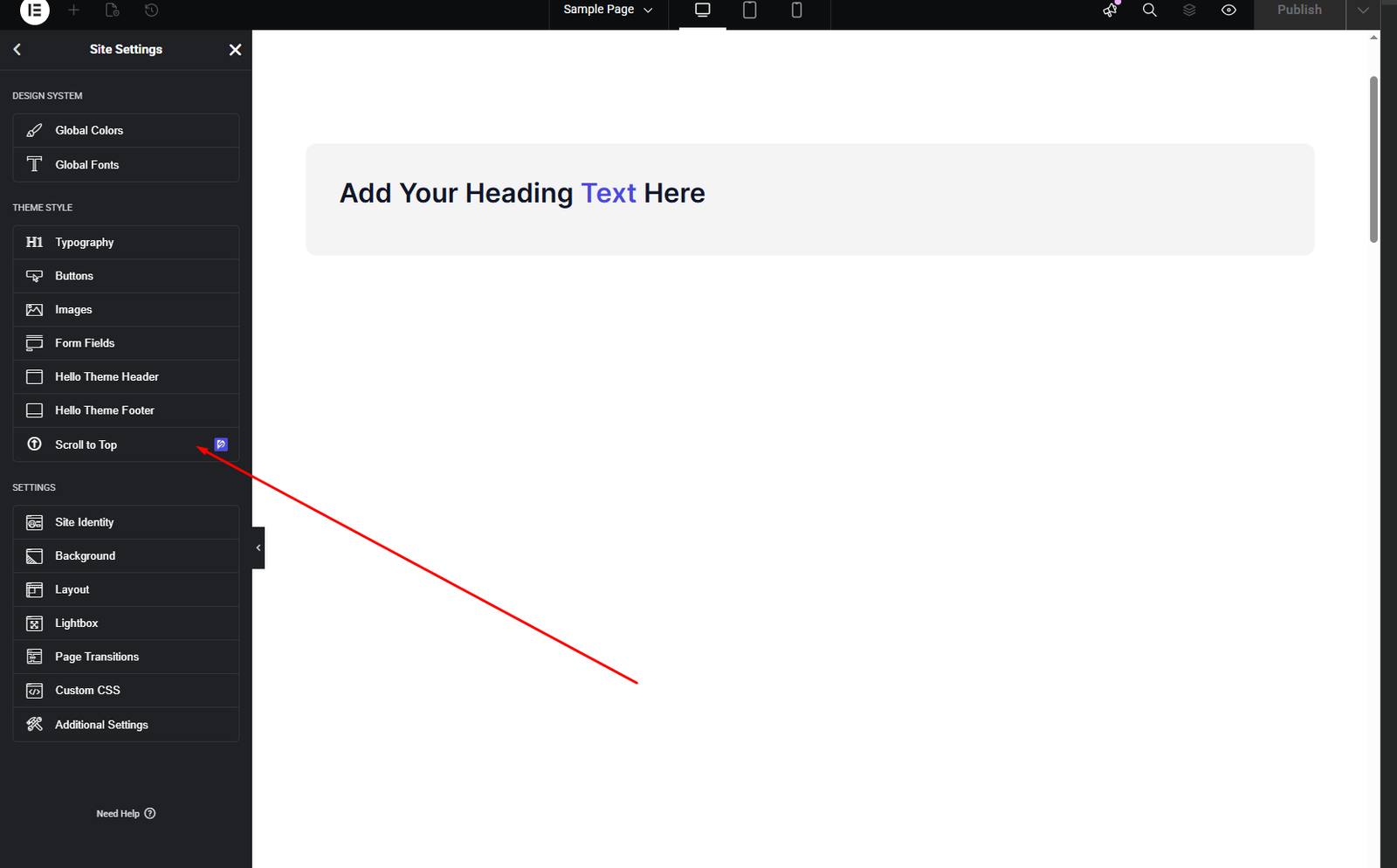
The Scroll to Top settings are available globally from Site Settings.
- Open any page in Elementor Editor
- Click the Site Settings icon (⚙️)
- Go to DesignSute → Scroll to Top
Layout Settings
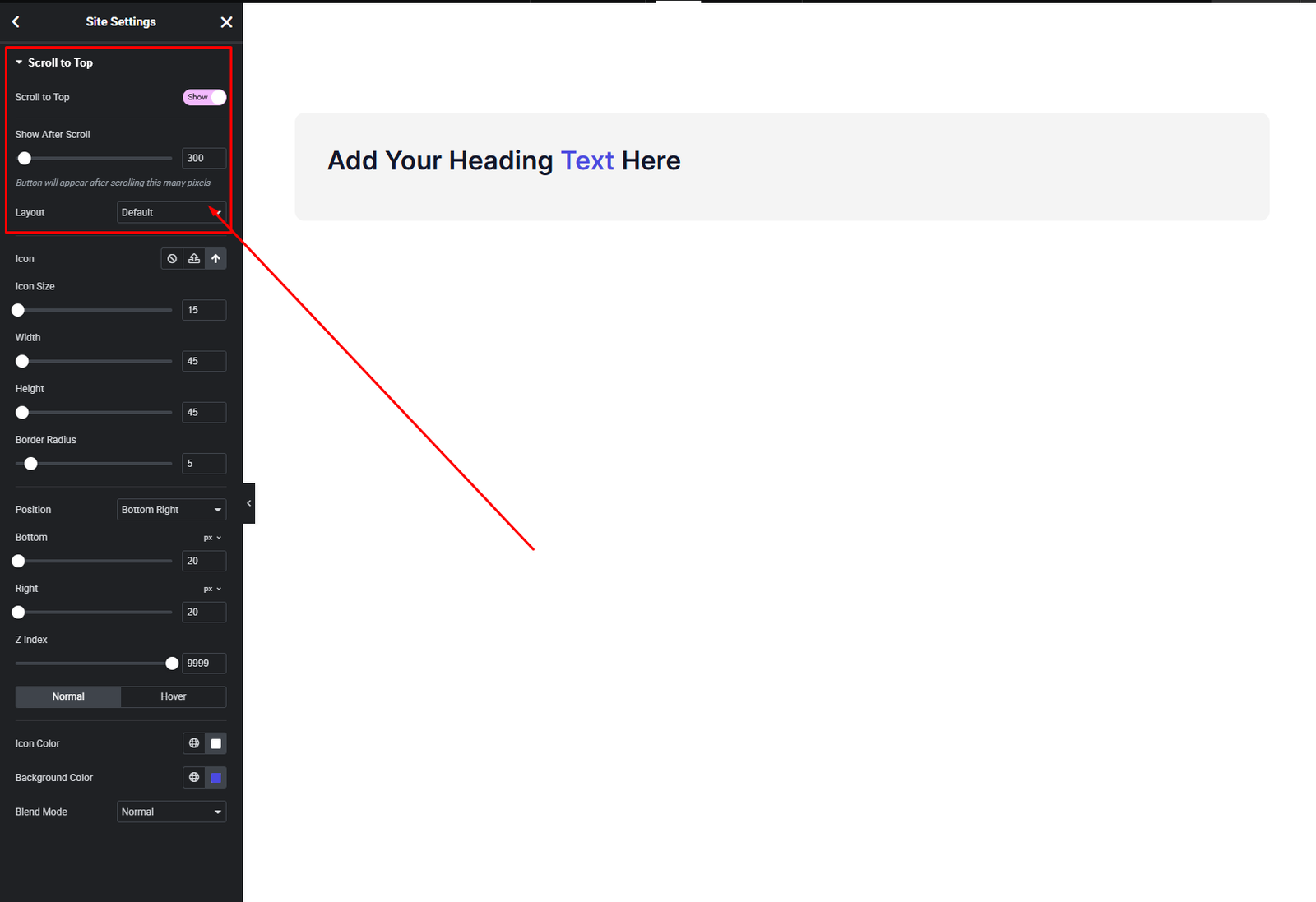
Layout Types
- Default
- Classic scroll-to-top button
- Simple and minimal design
- Progress Circle
- Circular button showing scroll progress
- Modern and interactive experience
Style Settings
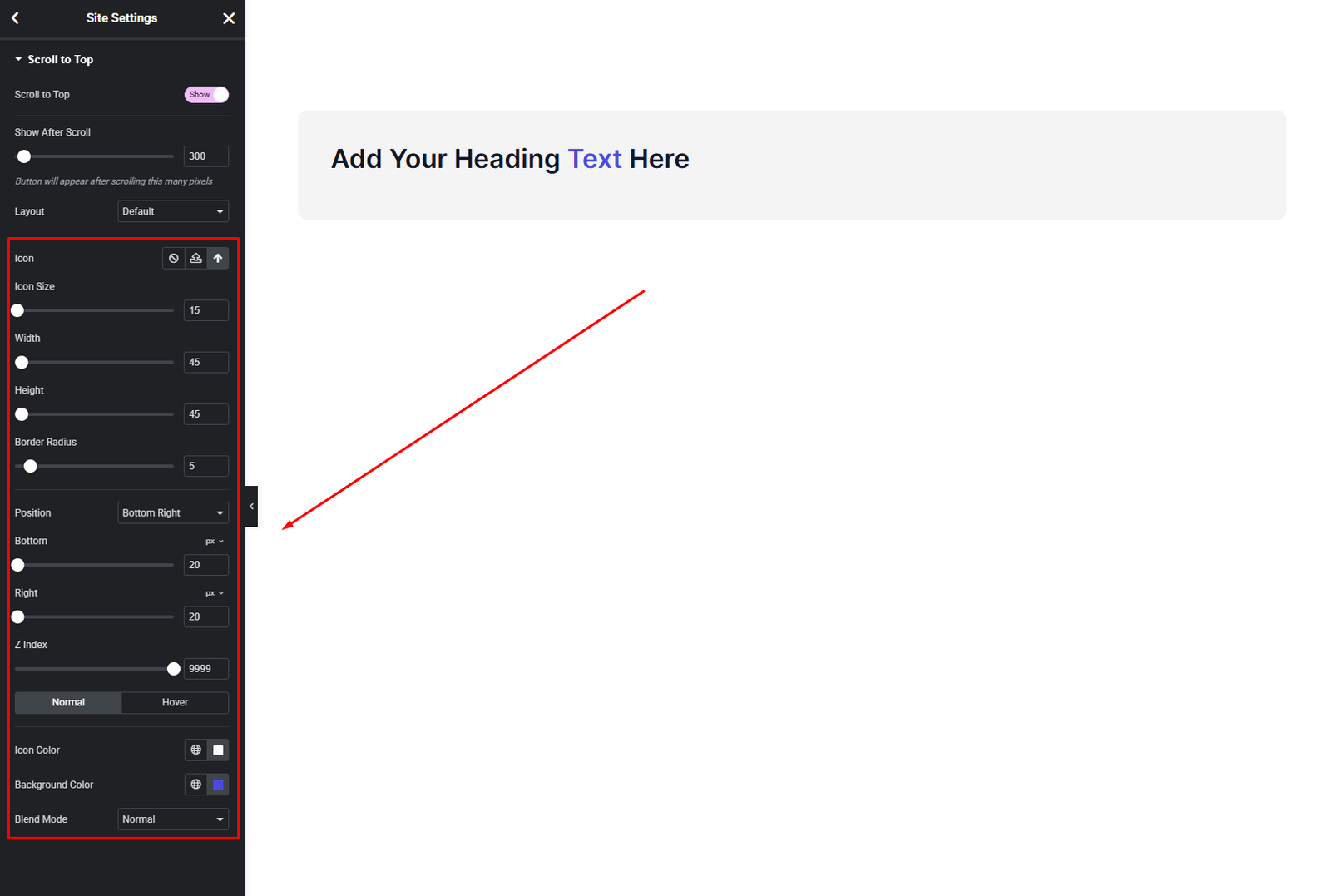
You can customize:
- Button size
- Icon style
- Colors (normal & hover)
- Background
- Border & radius
- Progress circle colors (for Progress layout)
Match the button perfectly with your site branding.
Final Outcome
🎉 You’ve successfully added a site-wide Scroll to Top button.
Whether you choose a simple button or a modern progress circle, this extension helps visitors navigate long pages effortlessly while keeping your design clean and professional.


