

Overview
The Post Featured Image widget is a dynamic widget designed for the DesignSute Theme Builder. It automatically displays the featured image of the current post, page, or custom post type inside your template.
This widget is perfect for Single Post templates, Archive templates, and custom post layouts, allowing you to showcase the main visual of each post dynamically.
Key Features
- Dynamic featured image output
- Works inside Theme Builder templates
- Supports all post types
- Automatically pulls the current featured image
- Image resolution control
- Link and alignment options
- Fully responsive
Perfect for:
- Single blog post templates
- Hero sections
- Archive cards
- Portfolio templates
- Custom post type layouts
How to Activate the Post Featured Image Widget
Before using this widget, make sure it is enabled from the DesignSute Dashboard.
- Go to DesignSute → Dashboard → Widgets (Tab)
- Find Post Featured Image in the widget list
- Toggle it ON
- Save changes if needed
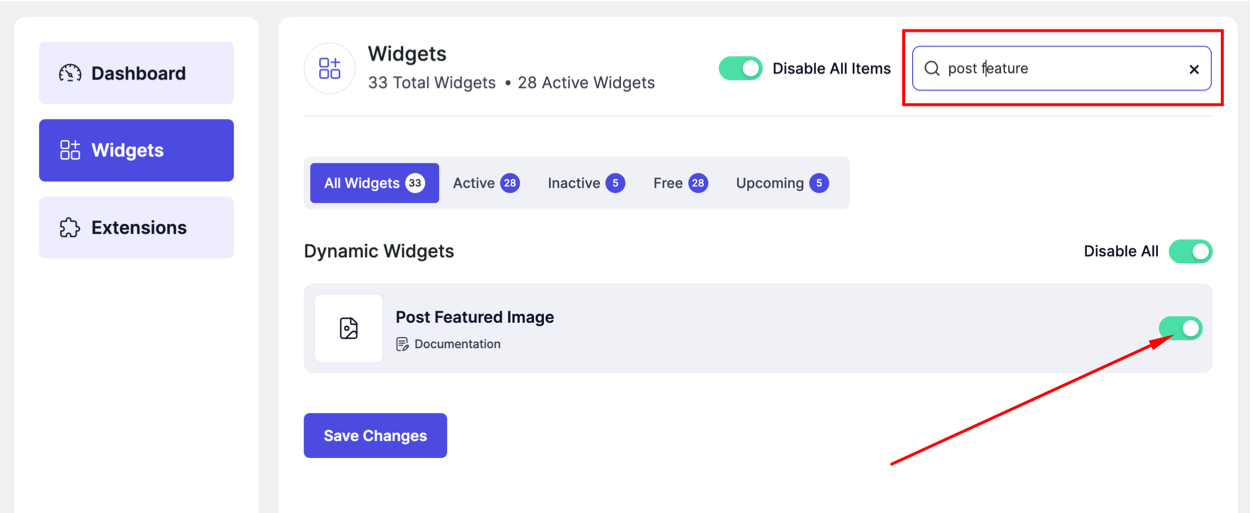
Now the widget is ready to use in Theme Builder.
How to Add the Post Featured Image Widget
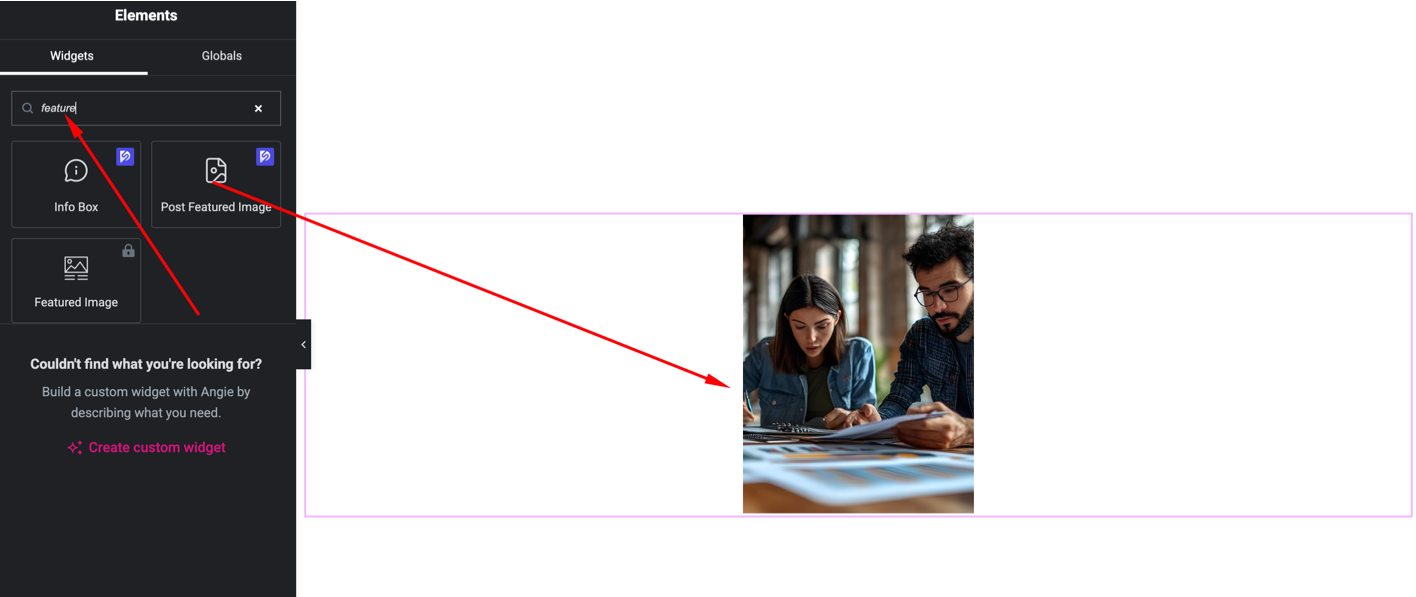
- Go to DesignSute → Theme Builder
- Create or edit a Single / Archive template
- Open it with Elementor Editor
- Search for Post Featured Image
- Drag and drop the widget into your template
Content Settings

Available options:
- Image Resolution – Choose image size for display
- Alignment – Left, Center, Right
- Link – Optional image link behavior
The widget automatically displays the featured image of the current post.
Style Settings
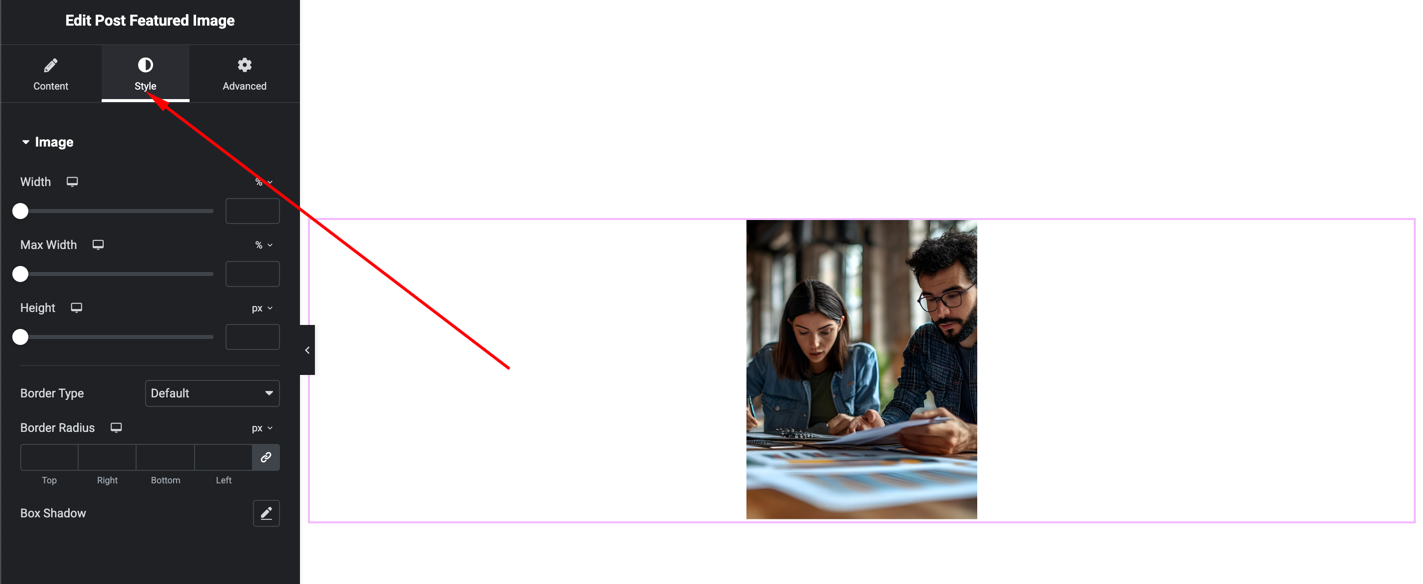
You can customize:
- Width & height
- Border radius
- Border
- Box shadow
- Spacing
- Alignment
These settings help the image match your template layout and branding.
Advanced Settings
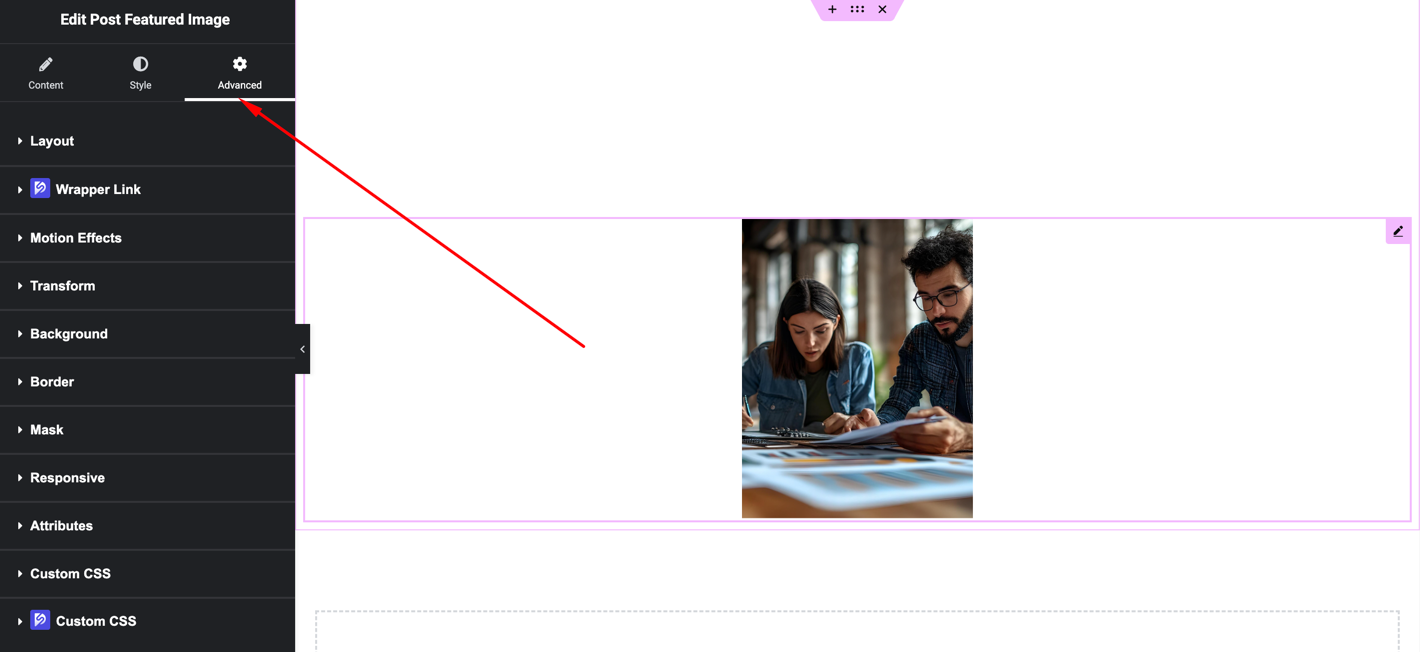
Includes:
- Margin & padding
- Background
- Motion effects
- Responsive visibility
Final Outcome
🎉 You’ve successfully added a dynamic Post Featured Image to your Theme Builder template.
The image will now automatically update for every post, page, or custom post type using the same template, keeping your layouts dynamic and visually consistent.


