

Overview
The Search No Result widget is a dynamic widget built for the DesignSute Theme Builder. It automatically displays a custom message when no results are found for a visitor’s search query.
This widget is perfect for Search Results templates, helping you provide clear feedback and improve user experience when a search does not return any matching content.
Key Features
- Dynamic no-results message
- Works inside Theme Builder templates
- Automatically shown when search returns no results
- Custom message text
- Alignment and style controls
- Fully responsive
Perfect for:
- Search results pages
- Blog search templates
- Product search layouts
- Custom post type search pages
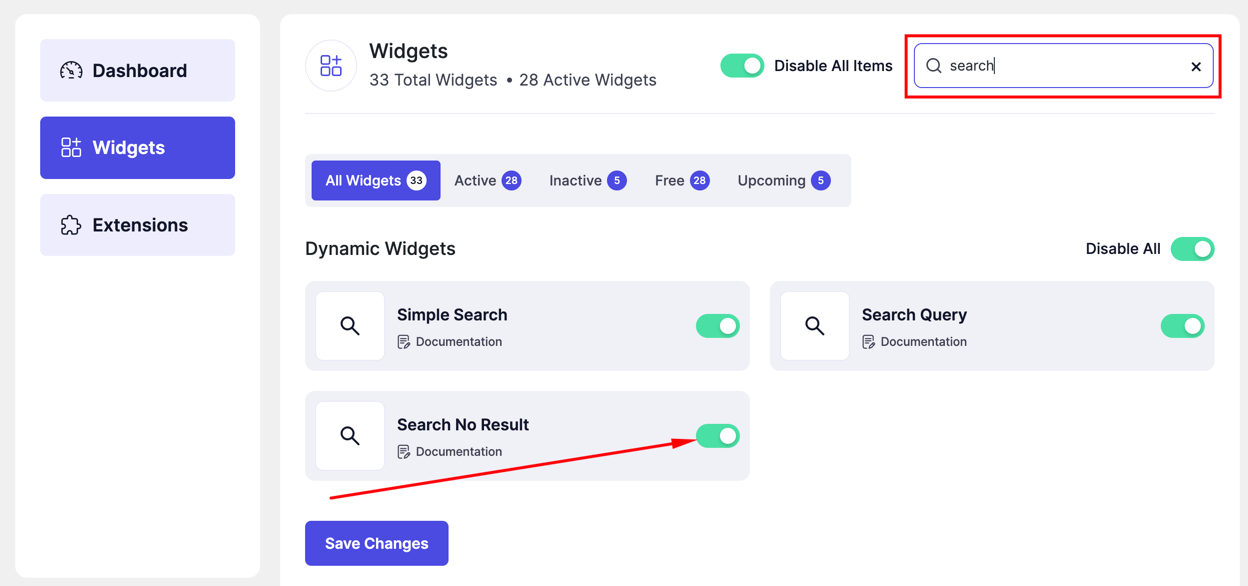
How to Activate the Search No Result Widget
- Go to DesignSute → Dashboard → Widgets (Tab)
- Find Search No Result in the widget list
- Toggle it ON
- Save changes if needed
📸 Screenshot: DesignSute → Dashboard → Widgets → Search No Result
How to Add the Search No Result Widget
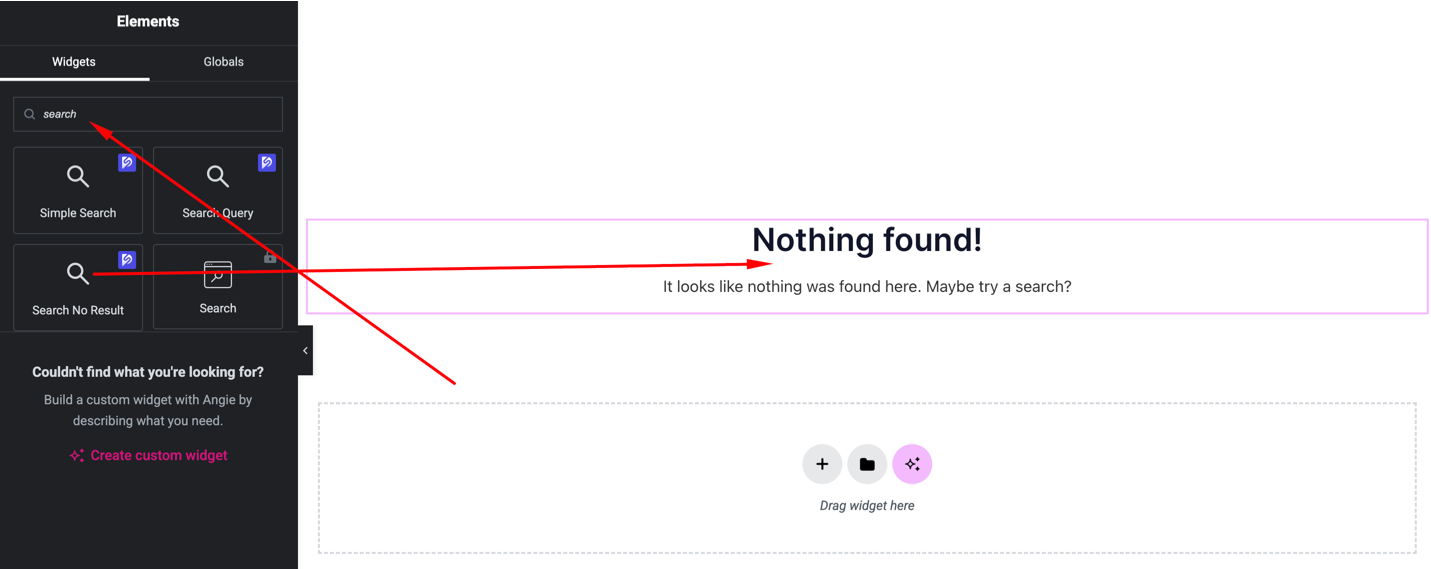
- Go to DesignSute → Theme Builder
- Create or edit a Search Results template
- Open with Elementor Editor
- Search for Search No Result
- Drag and drop the widget into your template
📸 Screenshot: Theme Builder → Elementor → Search No Result Widget
Content Settings
📸 Screenshot: Search No Result → Content Settings
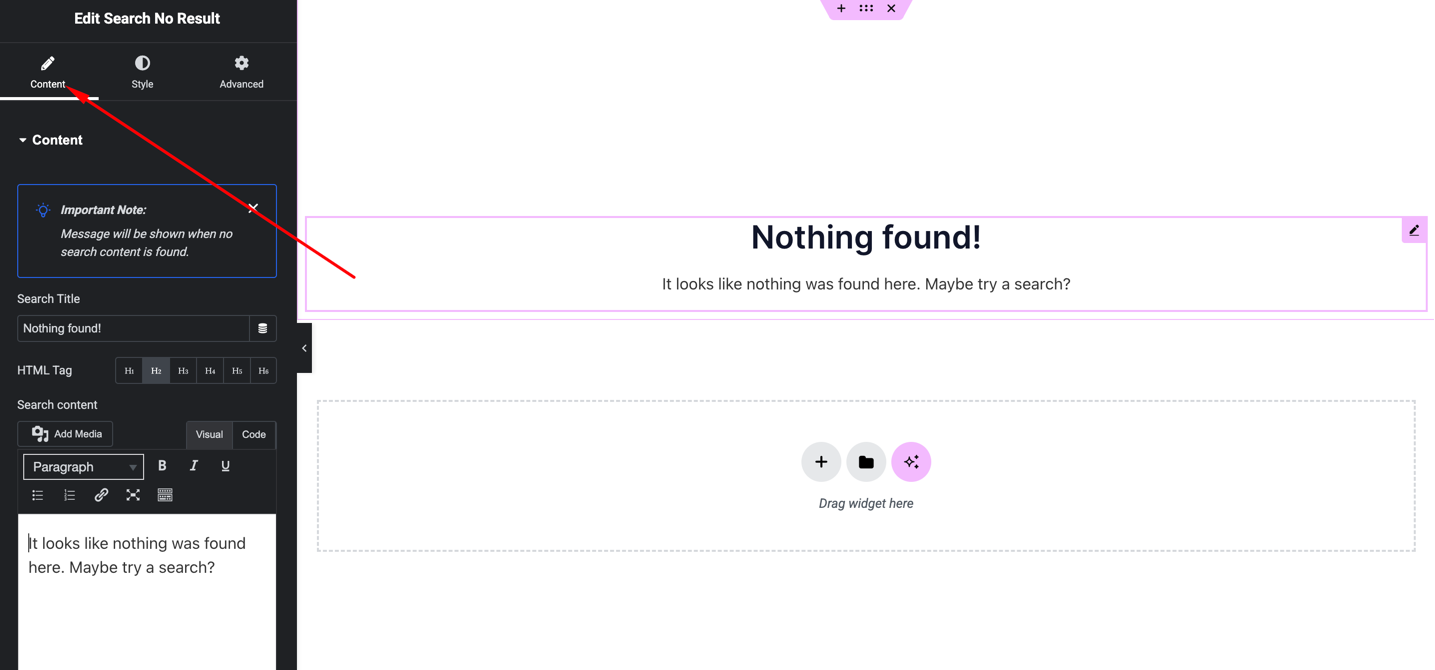
Available options:
- Custom Message – Set the message to display when no results are found
- Alignment – Left, Center, Right
The widget automatically appears only when the search has no matching results.
Style Settings
📸 Screenshot: Search No Result → Style Settings
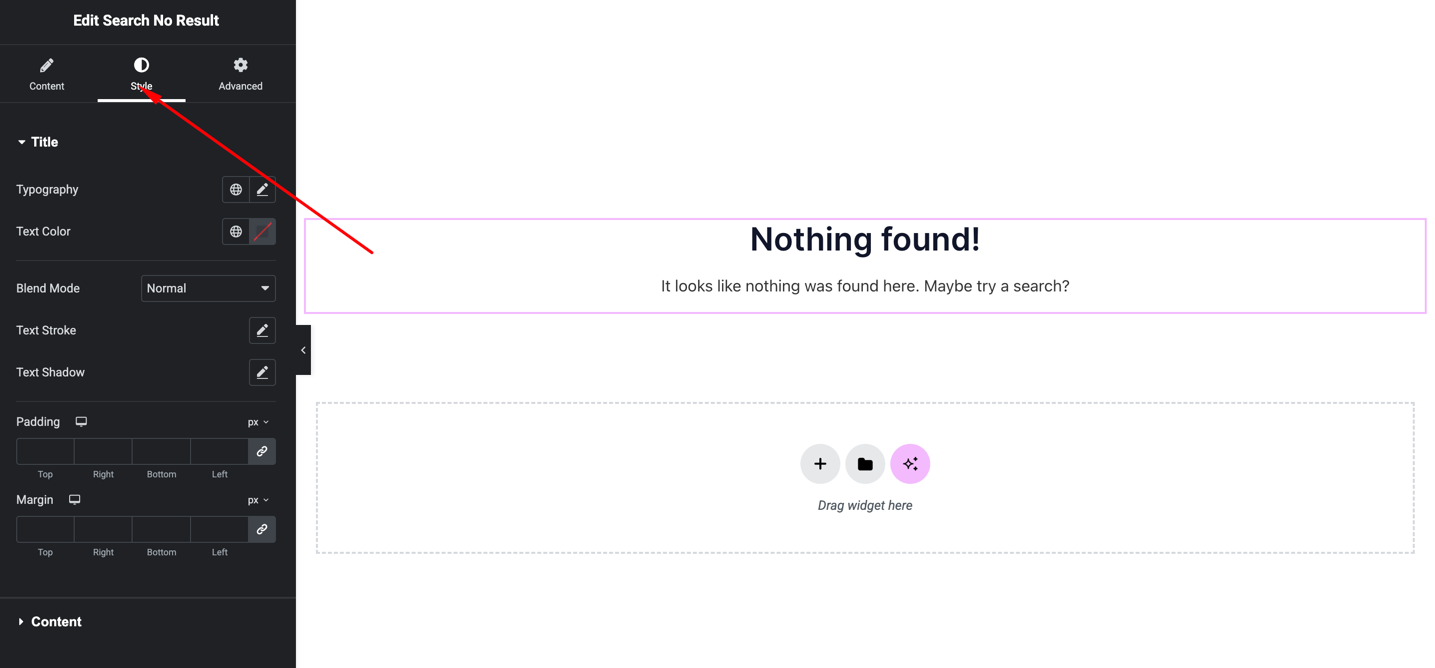
You can customize:
- Typography
- Text color
- Alignment
- Spacing
These settings help keep the no-result message visually consistent with your search page template.
Advanced Settings
📸 Screenshot: Search No Result → Advanced Settings
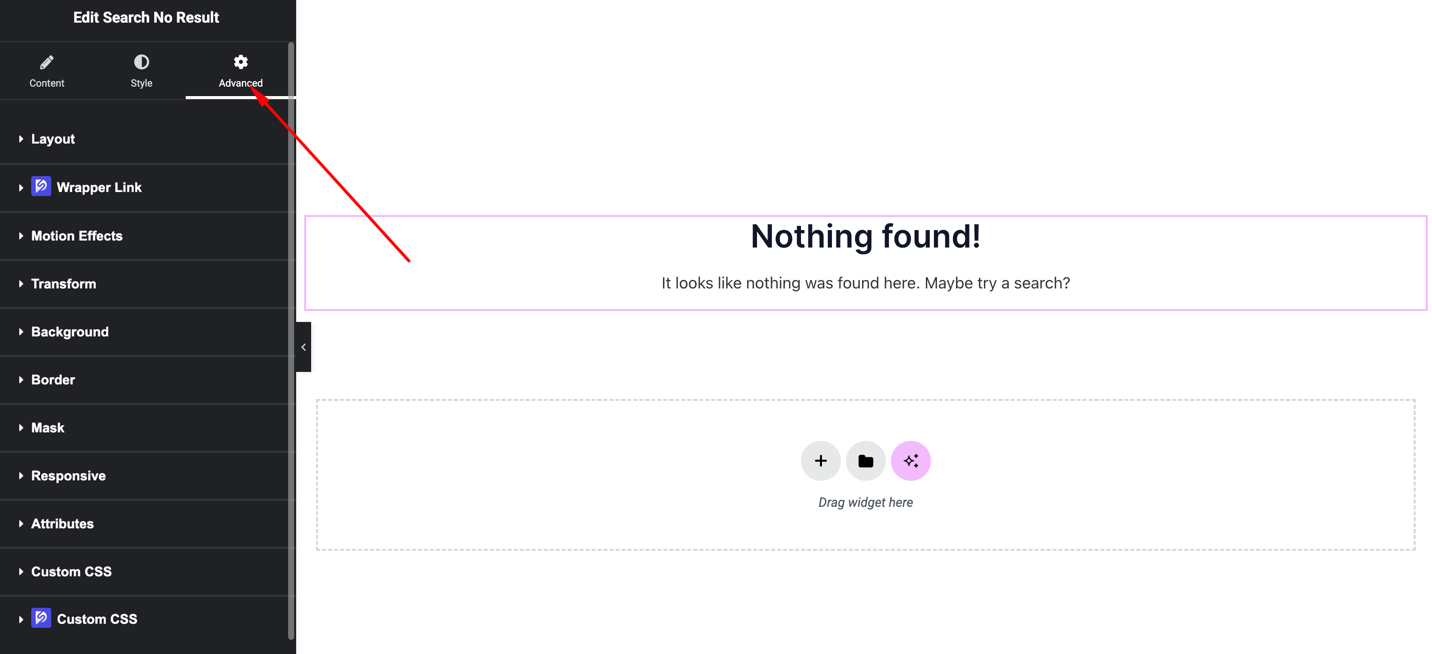
Includes:
- Margin & padding
- Background
- Motion effects
- Responsive visibility
Final Outcome
🎉 You’ve successfully added the Search No Result widget to your Search Results template.
Now, when visitors search for something that doesn’t exist, they will see a clear and helpful message instead of an empty page, improving overall usability.


