

Overview
The Archive Title widget dynamically displays the title of the current archive page. This can be:
- Category title
- Tag title
- Author name
- Custom taxonomy title
- Custom post type archive title
It’s ideal for Archive templates in the DesignSute Theme Builder, helping visitors instantly understand the context of the content they’re viewing.
Key Features
- Dynamic archive titles for any archive page
- Works with Theme Builder templates
- Supports categories, tags, authors, custom post types, and taxonomies
- HTML tag selection (H1, H2, H3, etc.)
- Alignment and style options
- Fully responsive
How to Activate the Archive Title Widget
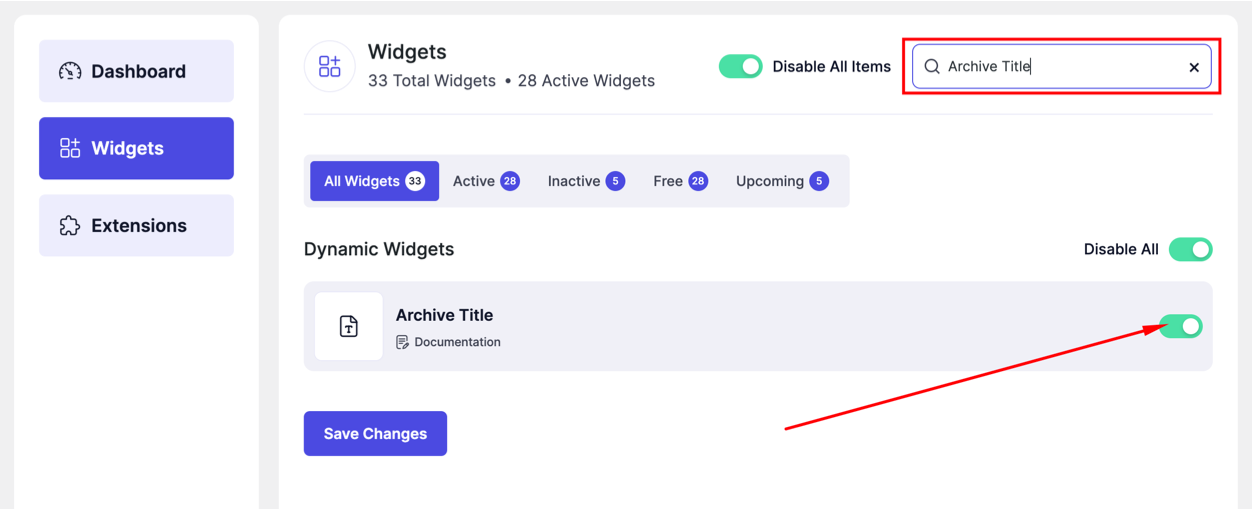
- Go to DesignSute → Dashboard → Widgets (Tab)
- Find Archive Title in the widget list
- Toggle it ON
- Save changes if needed
How to Add the Archive Title Widget
- Go to DesignSute → Theme Builder
- Create or edit an Archive template
- Open with Elementor Editor
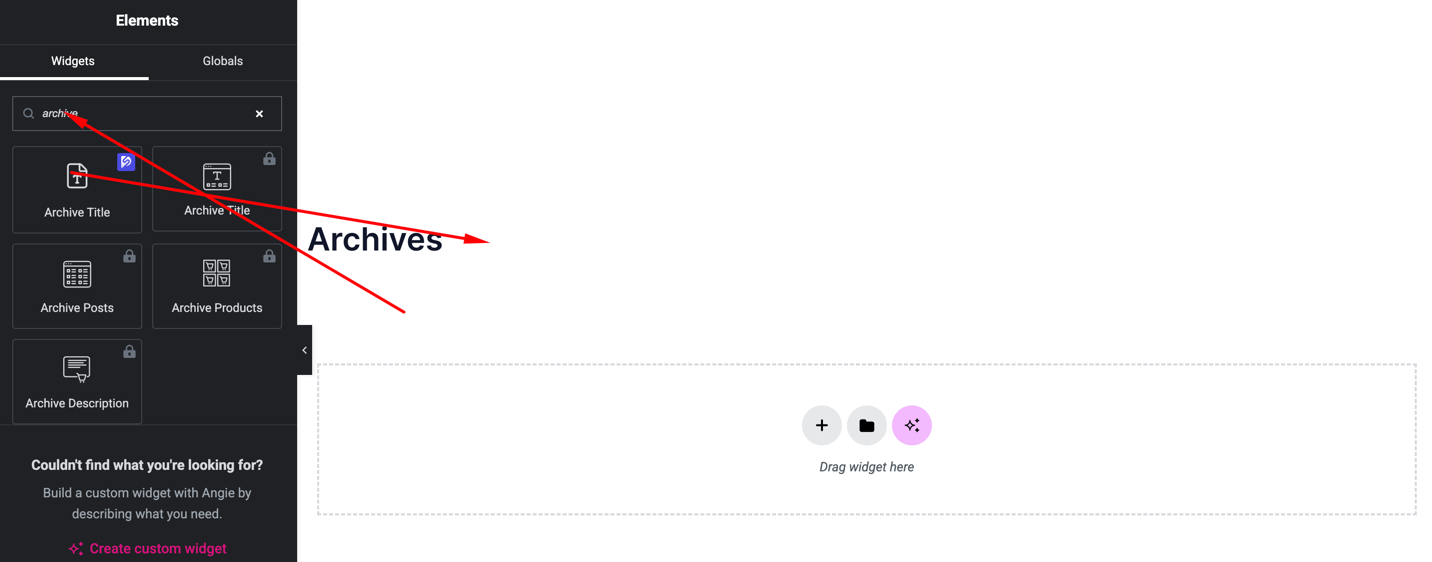
- Search for Archive Title
- Drag and drop the widget into your template
Content Settings
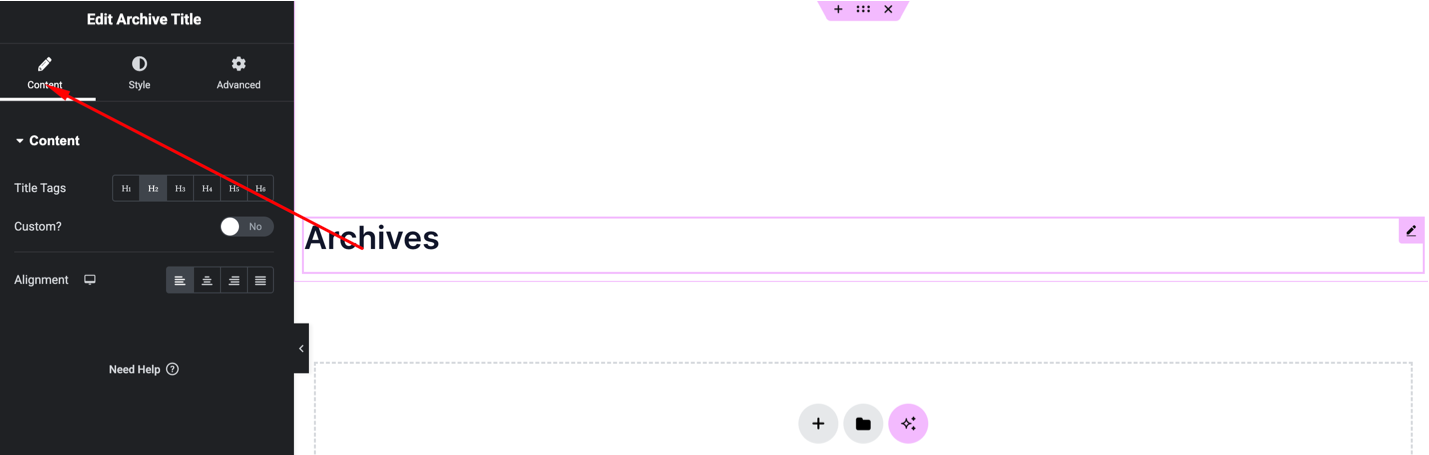
Available options:
- HTML Tag – Choose heading tag (H1, H2, H3, etc.)
- Alignment – Left, Center, Right
- Prefix / Suffix – Optional text before or after the dynamic title
The widget will automatically display the correct archive title depending on the page.
Style Settings
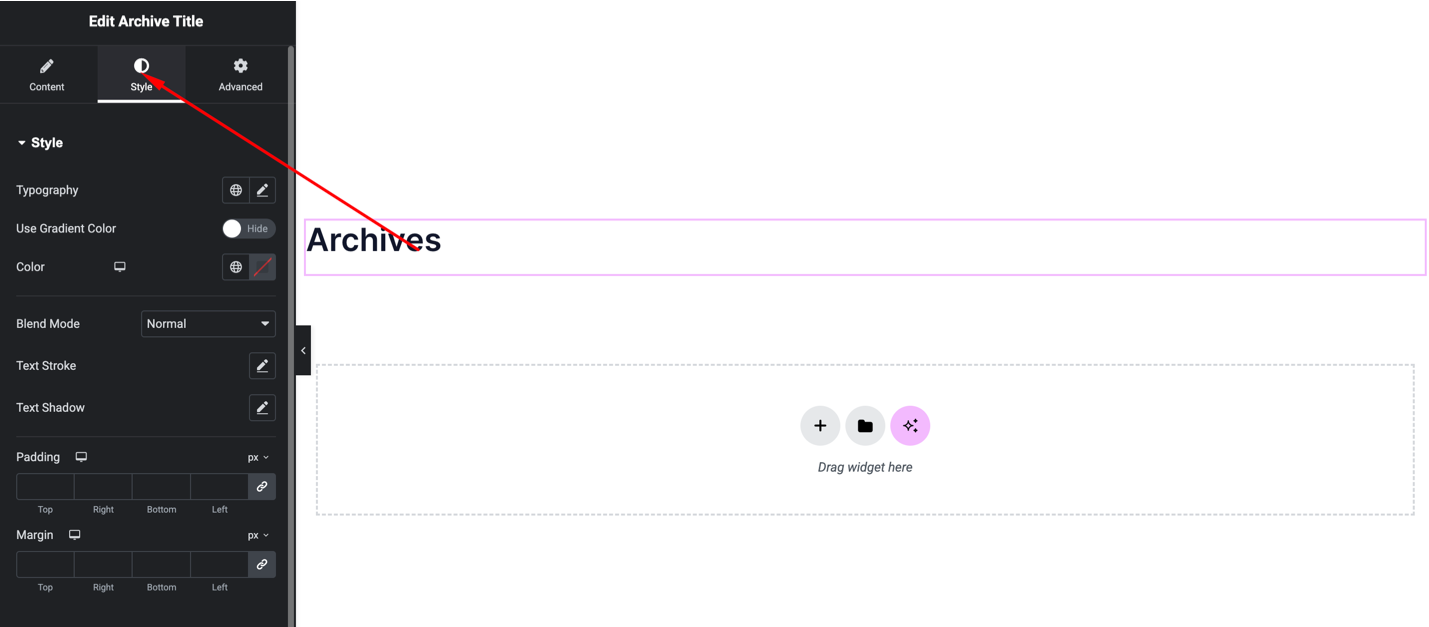
You can customize:
- Typography (font, weight, size)
- Text color
- Text shadow or stroke
- Alignment
- Spacing
These ensure the title matches your template design.
Advanced Settings
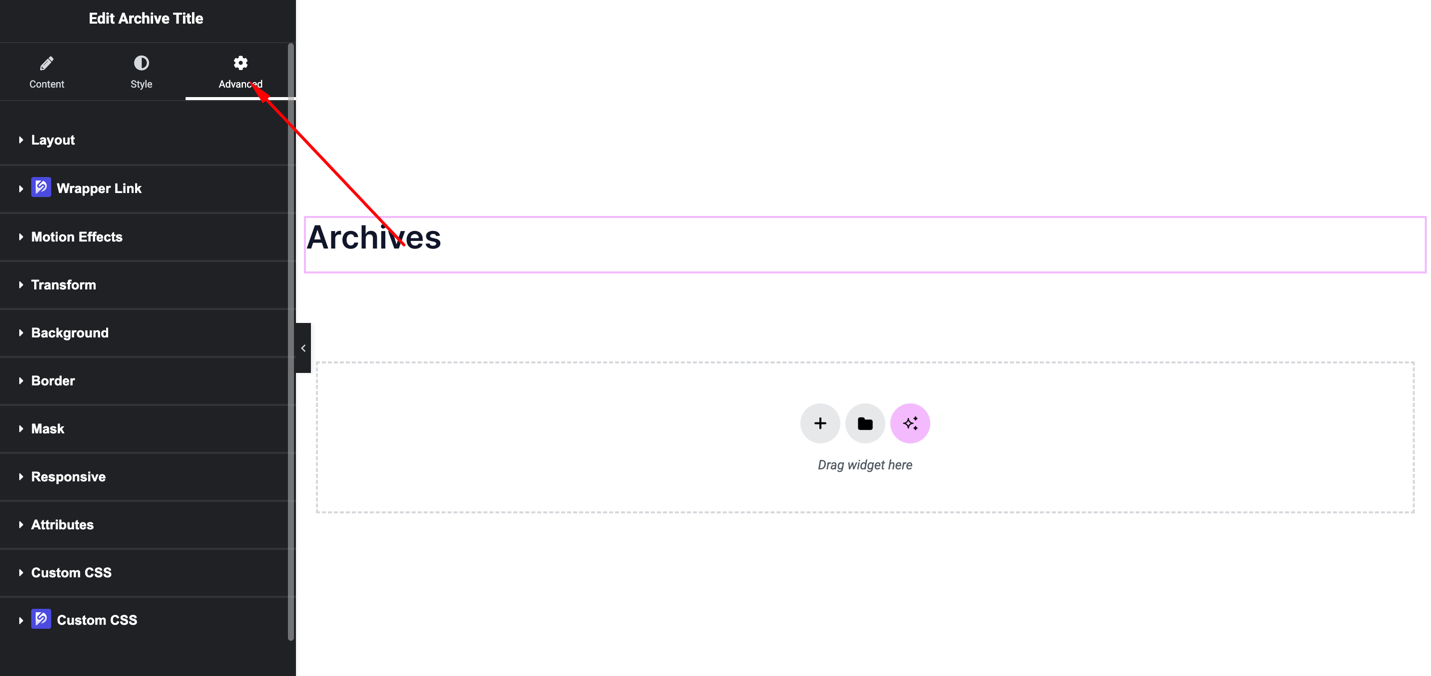
Includes:
- Margin & padding
- Background
- Motion effects
- Responsive visibility
Final Outcome
🎉 You’ve successfully added the Archive Title widget to your Archive template.
Now, the widget will automatically display the correct archive title for each archive page—category, tag, author, or custom post type—making your templates fully dynamic and ready for all content types.


