

Overview
The Post Pagination widget is a dynamic widget designed for the DesignSute Theme Builder. It allows visitors to navigate easily between posts using Next Post and Previous Post links. This improves user engagement and keeps readers exploring your content.
Perfect for:
- Single blog post templates
- Article navigation
- Portfolio or custom post type templates
Key Features
- Dynamic navigation between posts
- Works inside Theme Builder templates
- Next & Previous post links
- Customizable labels and icons
- Alignment and style controls
- Fully responsive
How to Activate the Post Pagination Widget
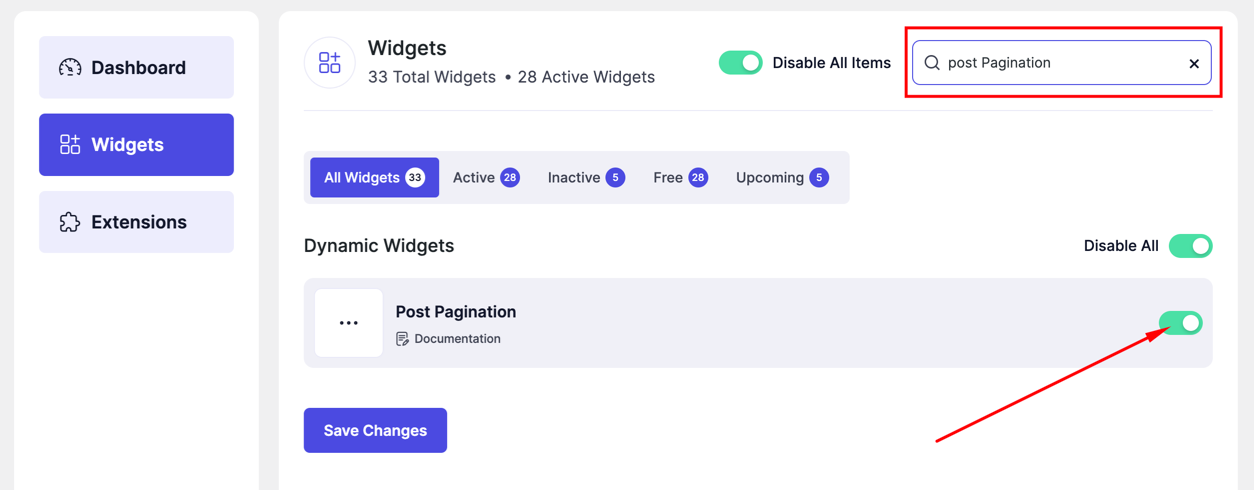
- Go to DesignSute → Dashboard → Widgets (Tab)
- Find Post Pagination in the widget list
- Toggle it ON
- Save changes if needed
How to Add the Post Pagination Widget
- Go to DesignSute → Theme Builder
- Create or edit a Single Post template
- Open with Elementor Editor
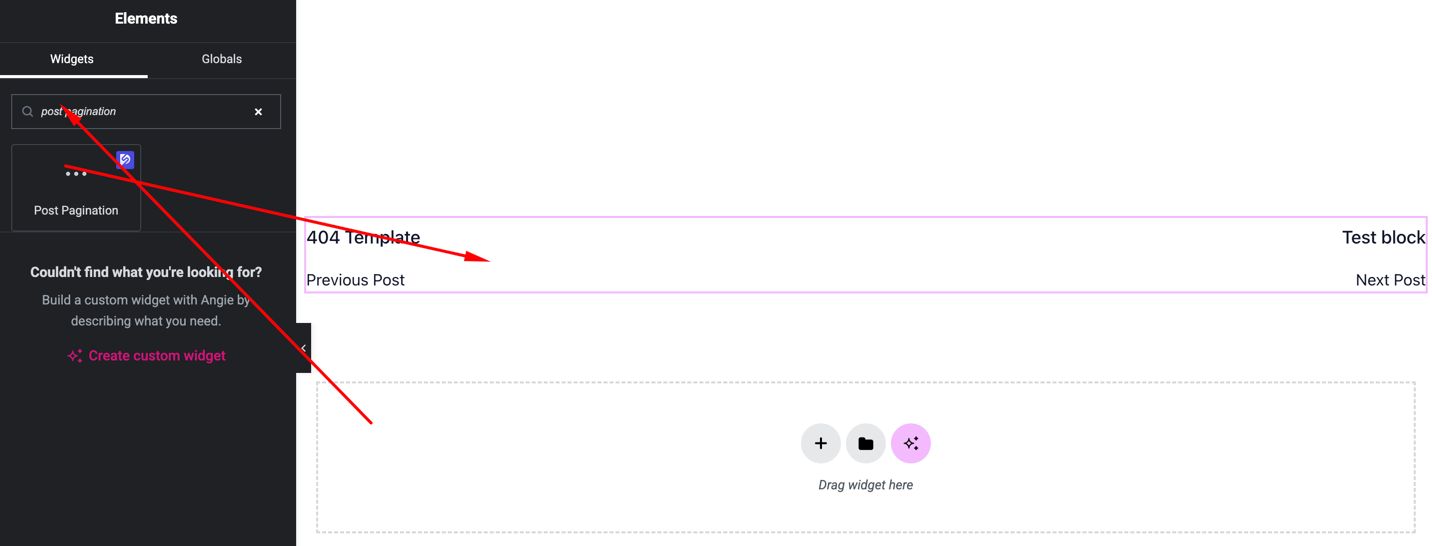
- Search for Post Pagination
- Drag and drop the widget into your template
Content Settings
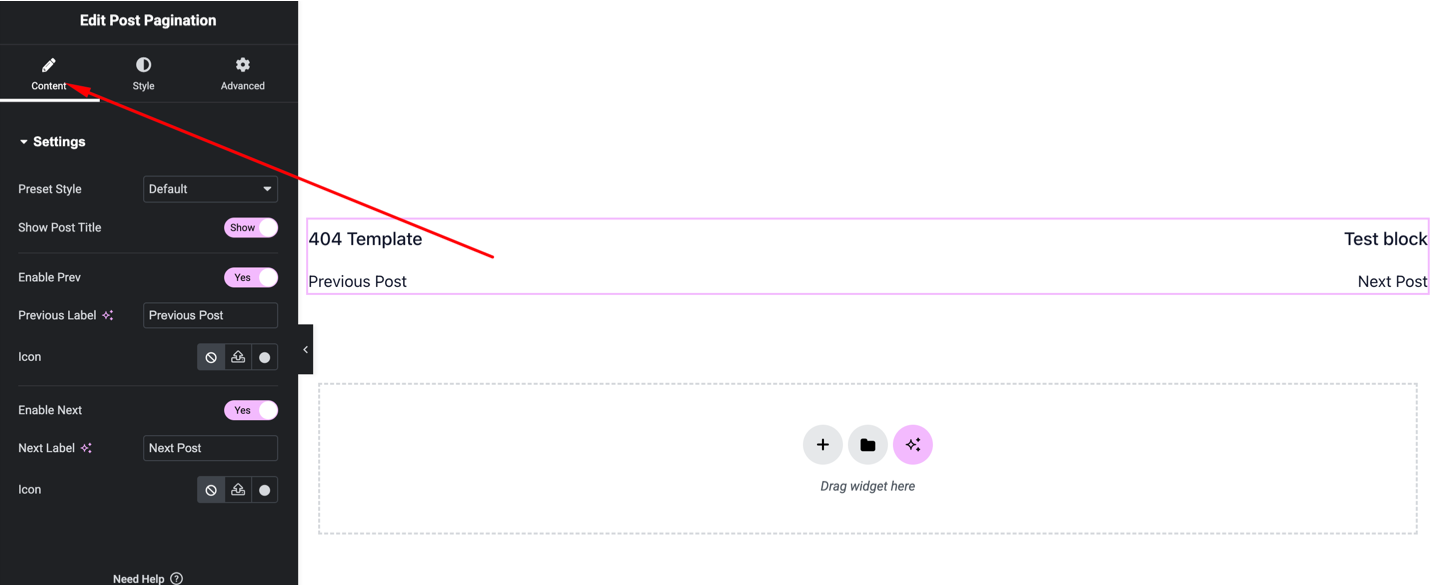
Available options:
- Next / Previous Labels – Customize the text
- Show / Hide Icons – Optional arrow icons
- Alignment – Left, center, right
Style Settings
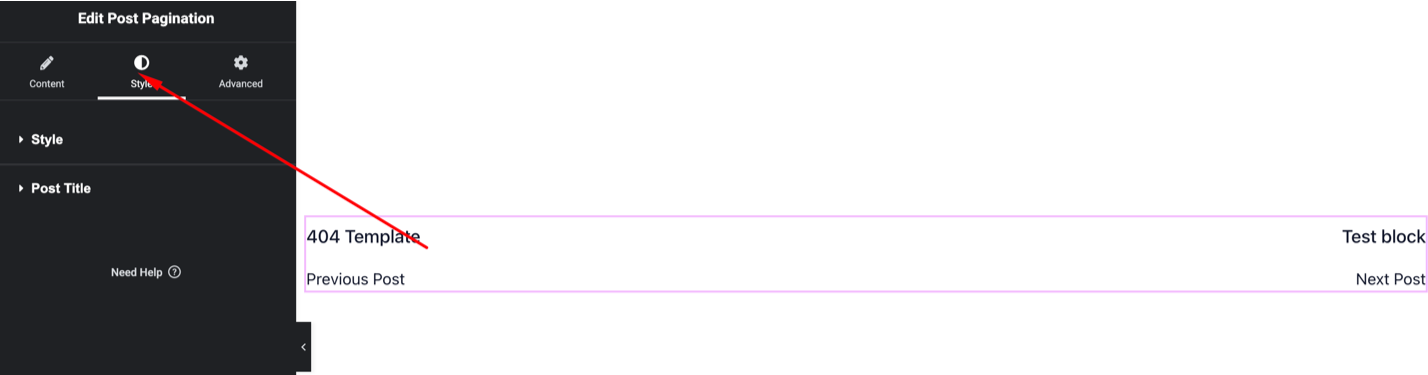
You can customize:
- Typography (font, size, weight)
- Text color
- Icon color & size
- Spacing between links
- Hover styles
Advanced Settings
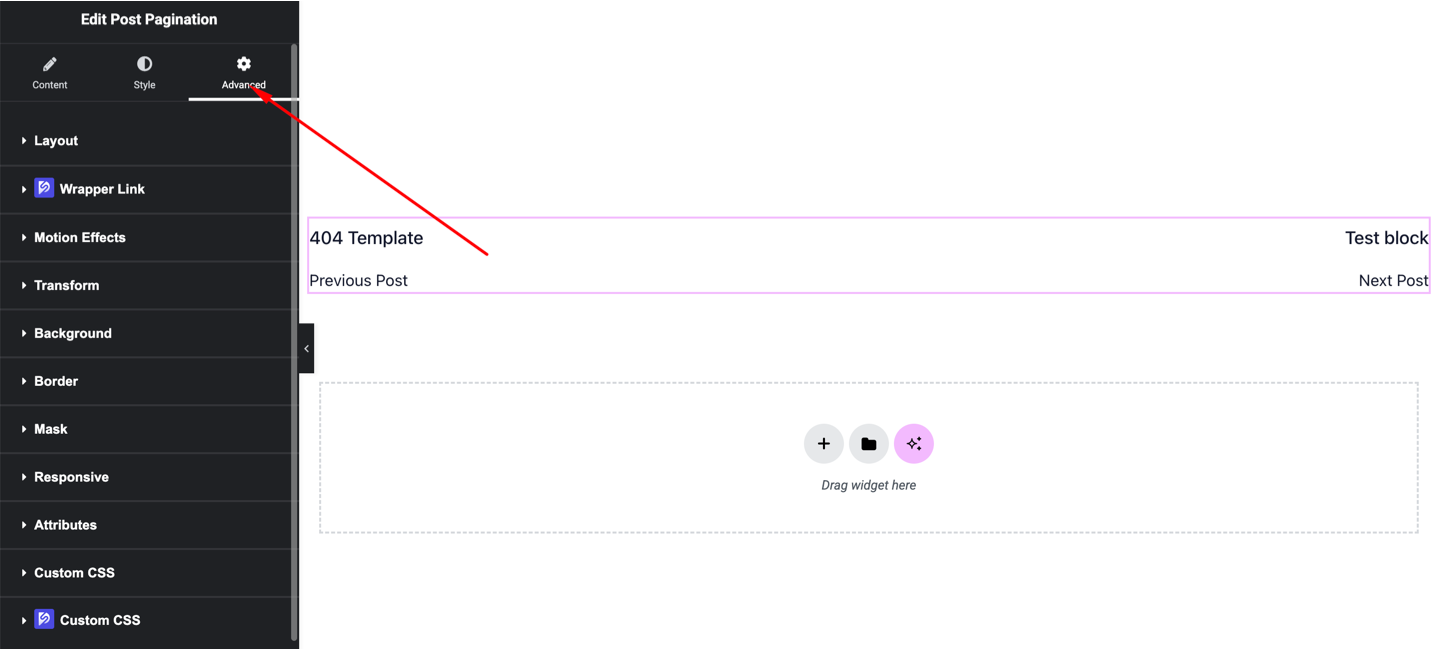
Includes:
- Margin & padding
- Motion effects
- Background
- Responsive visibility
Final Outcome
🎉 You’ve successfully added the Post Pagination widget to your Theme Builder template.
Now visitors can easily navigate to the Next or Previous posts, improving user engagement and providing a smooth reading experience.


