

Overview
The Wrapper Link extension allows you to make an entire Section, Column, or Widget clickable instead of linking only a button or text. This is perfect for card-based layouts and clean UX.
How to Activate
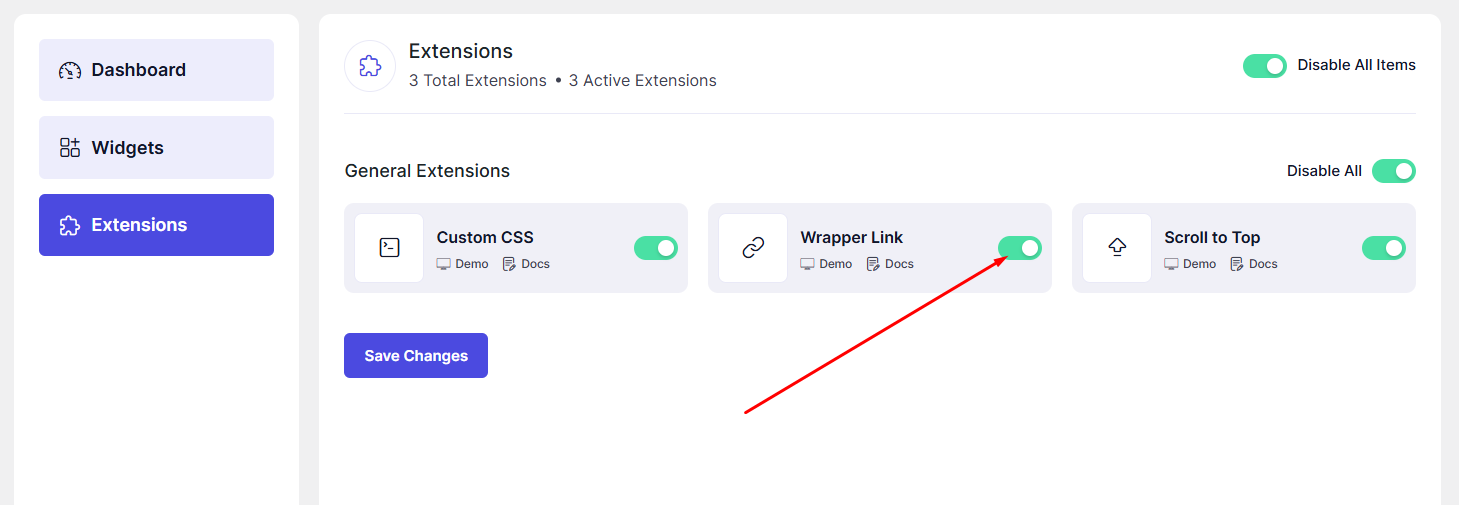
- Go to DesignSute → Dashboard → Extensions (Tab)
- Enable Wrapper Link
How to Use Wrapper Link in Elementor
- Open your page with Elementor Editor
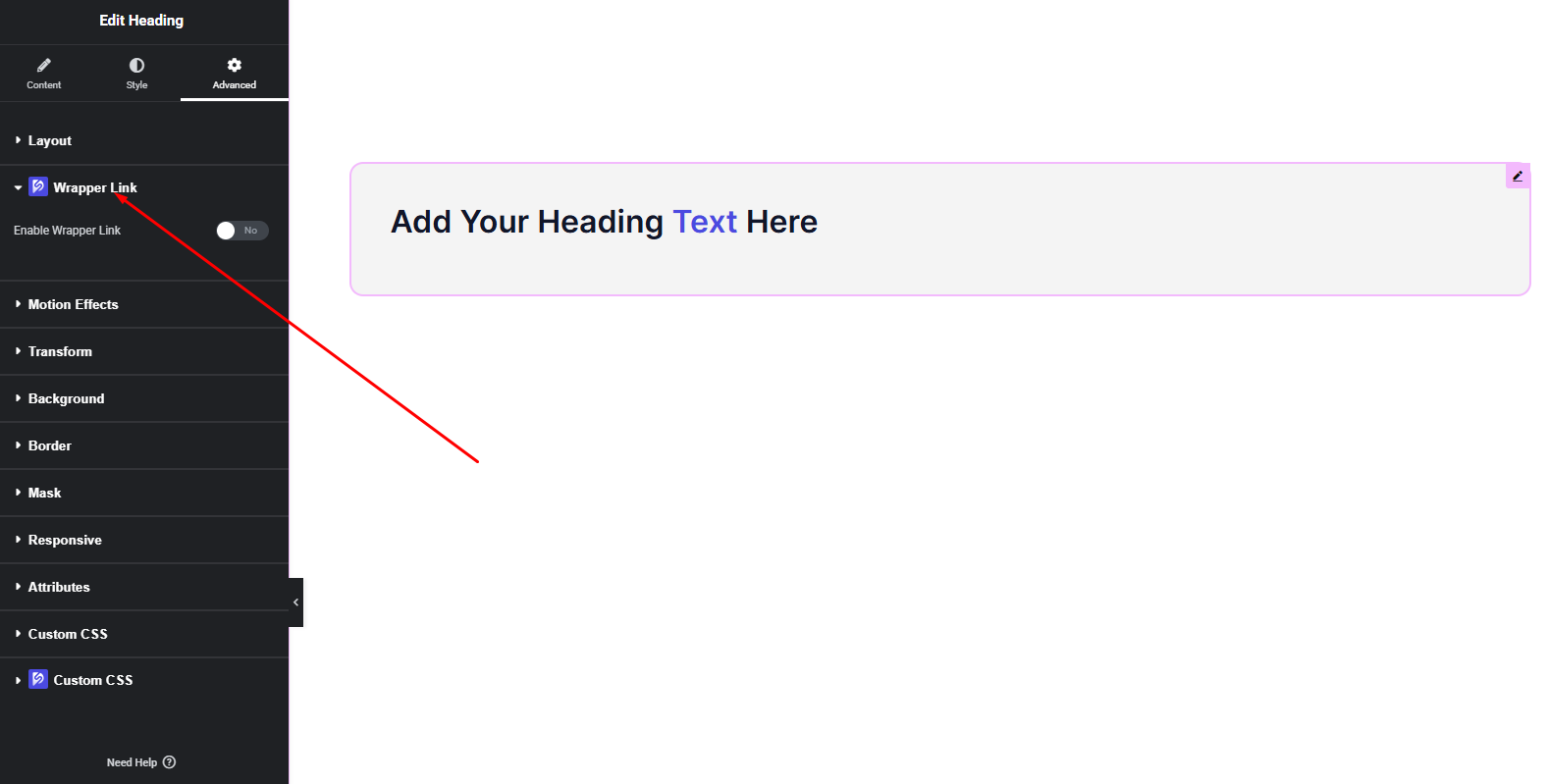
- Select a Section, Column, or Widget
- Go to the Advanced tab
- Find Wrapper Link
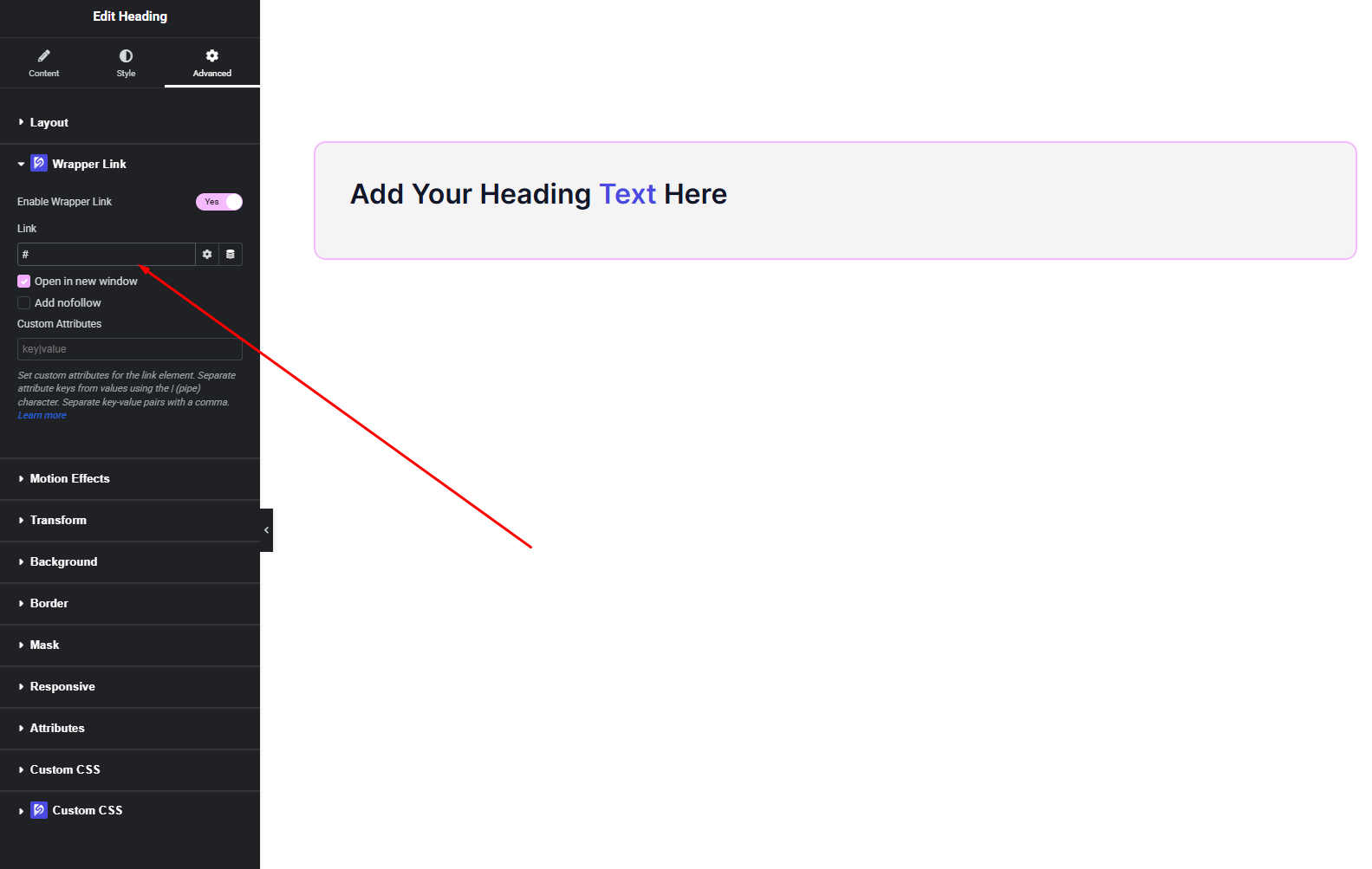
- Add your link
- Click Publish / Update
Link Options
- Custom Link – Add any URL
- Dynamic Link – Use dynamic source (Post URL, custom field, etc.)
Final Outcome
Your entire element is now clickable.
Clean, simple, and ideal for modern layouts like cards, grids, and CTAs.


