

Overview
The Custom CSS extension in DesignSute gives you full control to fine-tune your design beyond the default Elementor options. It allows you to write and apply your own CSS directly to any Elementor element—without touching theme files or using third-party plugins.
This is perfect when you need precise spacing, custom animations, or unique styling that isn’t available in standard controls.
Key Benefits
- Add custom CSS per element
- No need to edit theme or child theme files
- Works with sections, columns, and widgets
- Safe, flexible, and easy to manage
- Ideal for advanced design tweaks
How to Activate Custom CSS
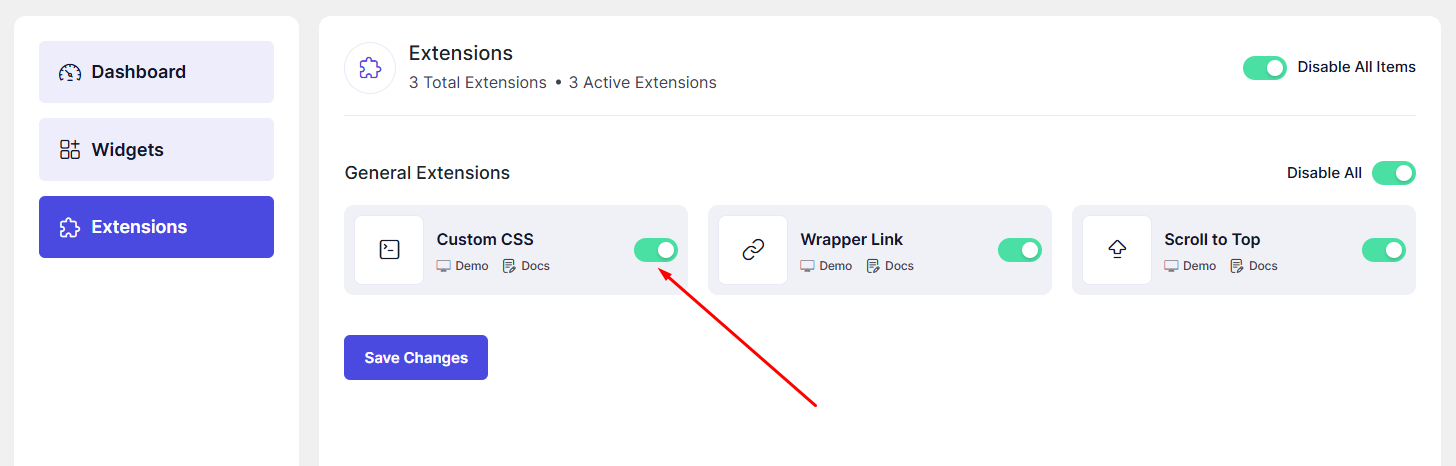
Before using Custom CSS, make sure the extension is enabled.
Steps to Enable:
- Go to DesignSute → Dashboard → Extensions (Tab)
- Find Custom CSS
- Toggle it ON
How to Use Custom CSS in Elementor
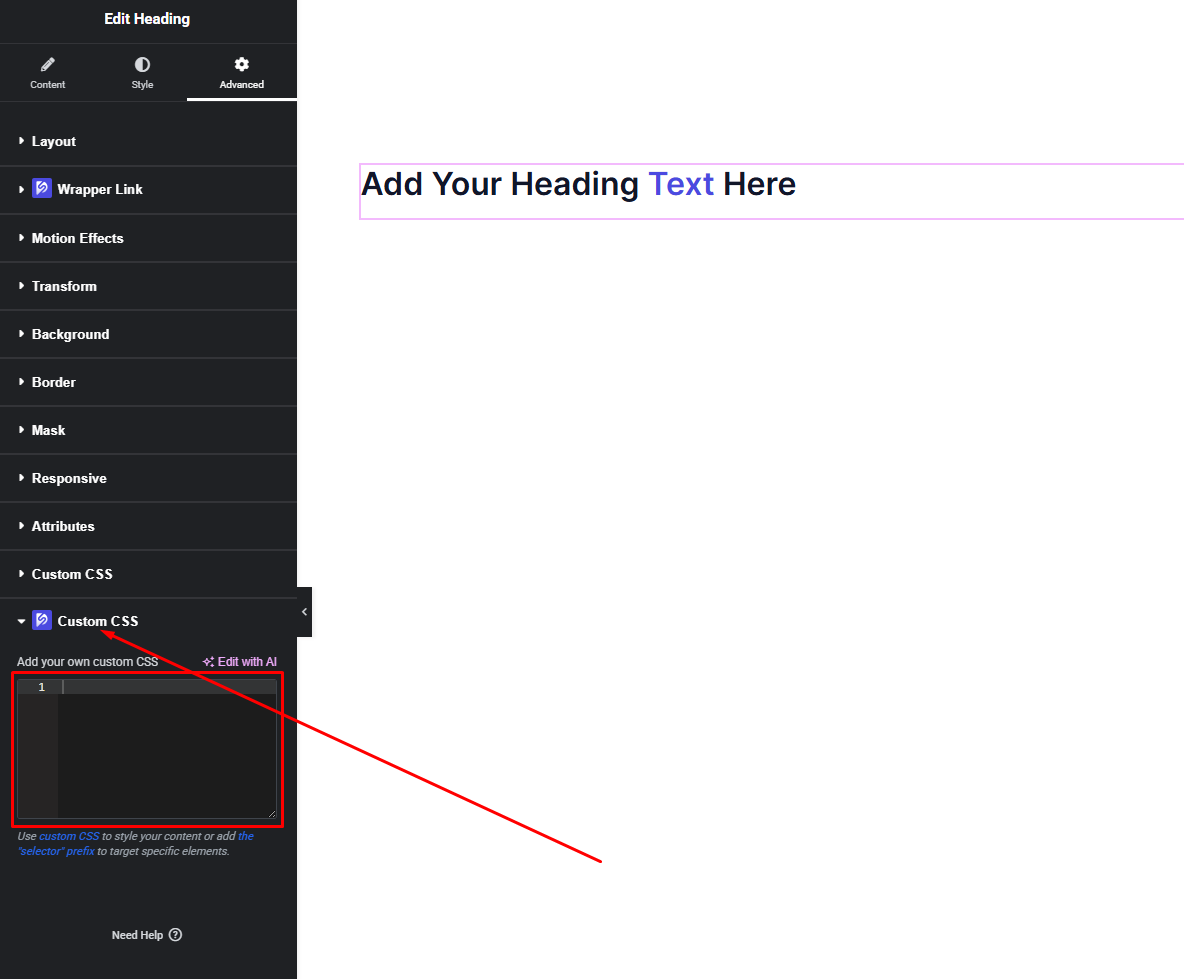
Once the extension is enabled, Custom CSS becomes available inside Elementor.
Steps:
- Open any page with Elementor Editor
- Click on a Section, Column, or Widget
- Go to the Advanced tab
- Scroll down to find Custom CSS
- Paste your custom CSS code
- Click Publish / Update
Your custom styles will be applied instantly.
Writing Custom CSS
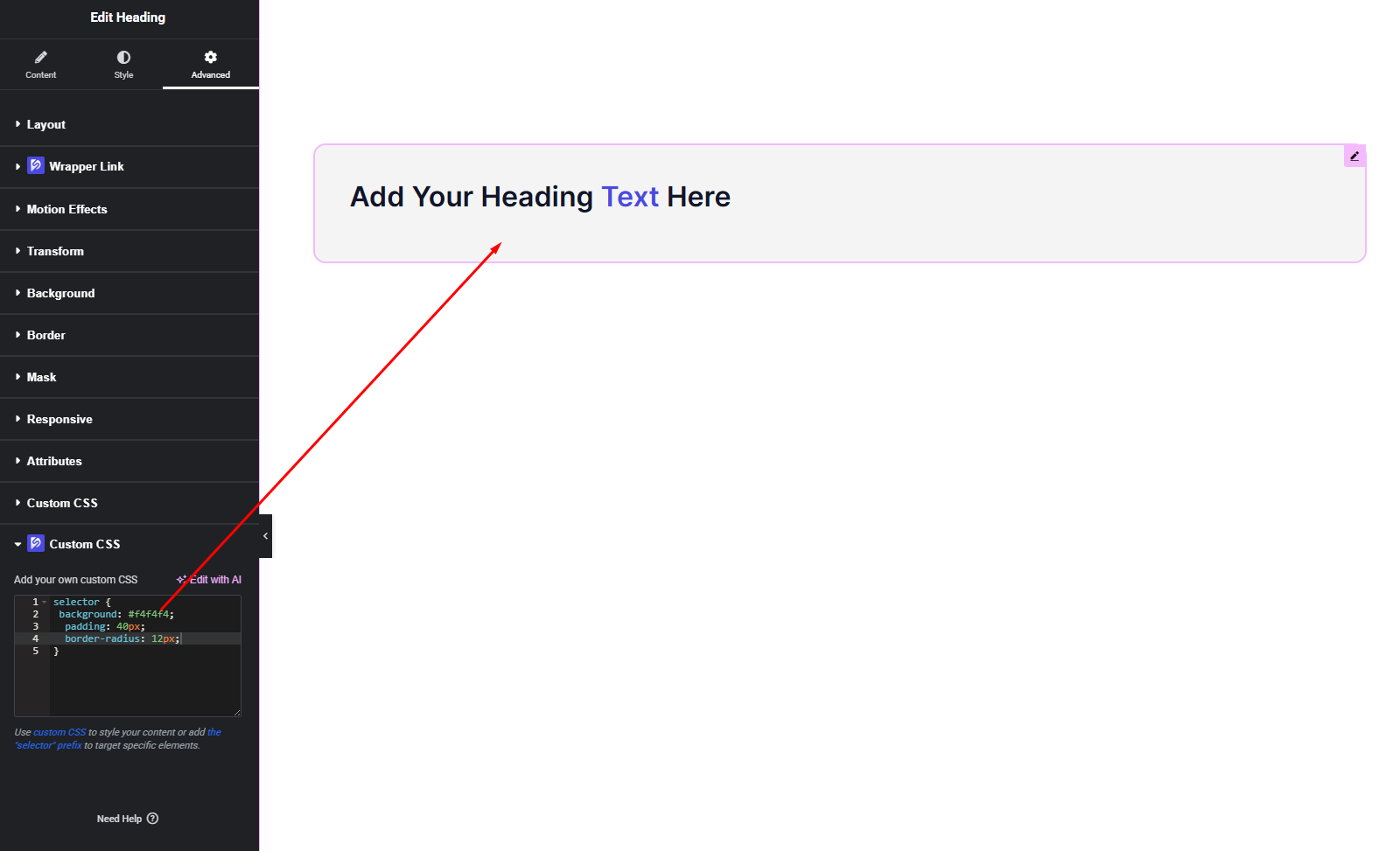
You can target the selected element using the provided selector (usually selector).
Example:
selector {
  background: #f4f4f4;
  padding: 40px;
  border-radius: 12px;
}
This ensures your CSS only affects the selected element and nothing else.
What You Can Do with Custom CSS
- Fix spacing issues
- Adjust hover effects
- Add custom animations
- Override default styles
- Create unique layouts
- Fine-tune responsive behavior
It’s especially useful when standard controls aren’t enough.
Final Outcome
🎉 You did it!
You’ve successfully added your own Custom CSS and tailored your design exactly the way you want.
From adjusting spacing to enhancing animations, Custom CSS gives you the freedom to shape every detail of your layout with precision.
Keep experimenting and pushing your designs further—DesignSute is built to give you that control.
If you need help with CSS examples or best practices, feel free to ask anytime 💪


