

Overview
The Simple Search widget allows you to add a clean and customizable search form anywhere on your website using Elementor. It includes 4 layout styles, including a dropdown search (on icon click) and a full-screen modal search (on button click) for modern UX experiences.
Perfect for headers, hero sections, sidebars, and mobile menus.
Key Features
- 4 layout styles
- Dropdown search (opens on search icon click)
- Full-screen modal search
- Custom placeholder text
- Search button / icon control
- Fully responsive
- Complete style customization
Ideal for:
- Header search
- Minimal navigation bars
- Modern fullscreen search experience
- Mobile-friendly layouts
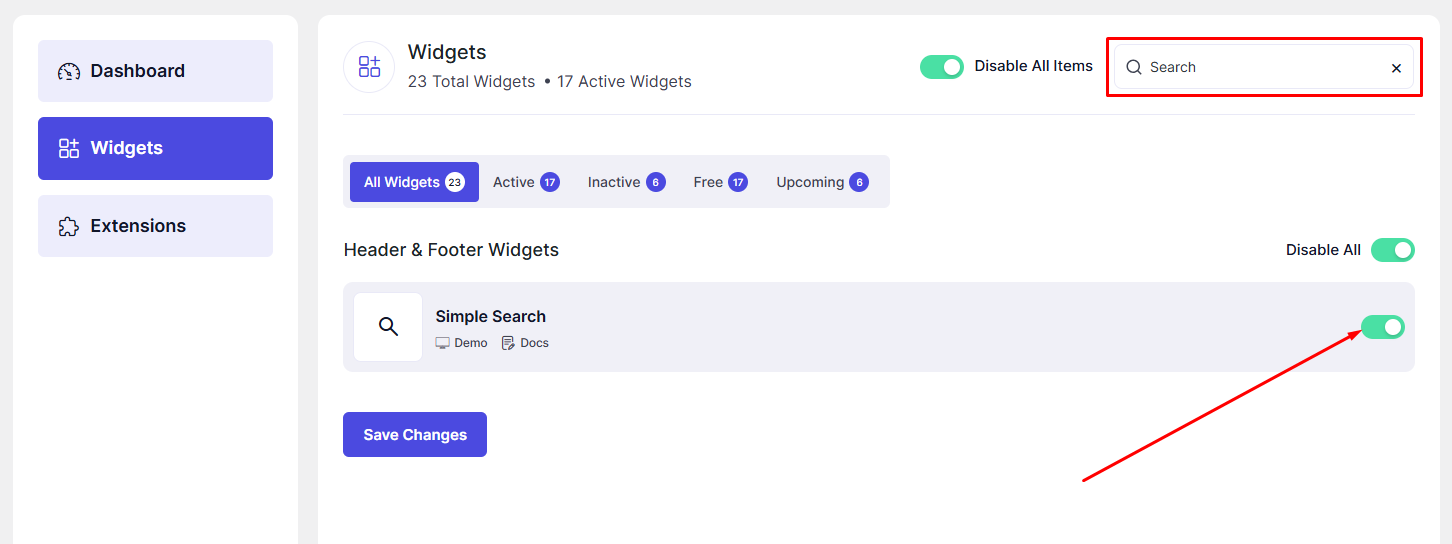
How to Activate the Simple Search Widget
Before using the widget, ensure it is enabled.
Steps to Enable:
- Go to DesignSute → Dashboard → Widgets (Tab).
- Locate Simple Search.
- Toggle it ON.
- Save changes if required.
How to Add the Simple Search Widget
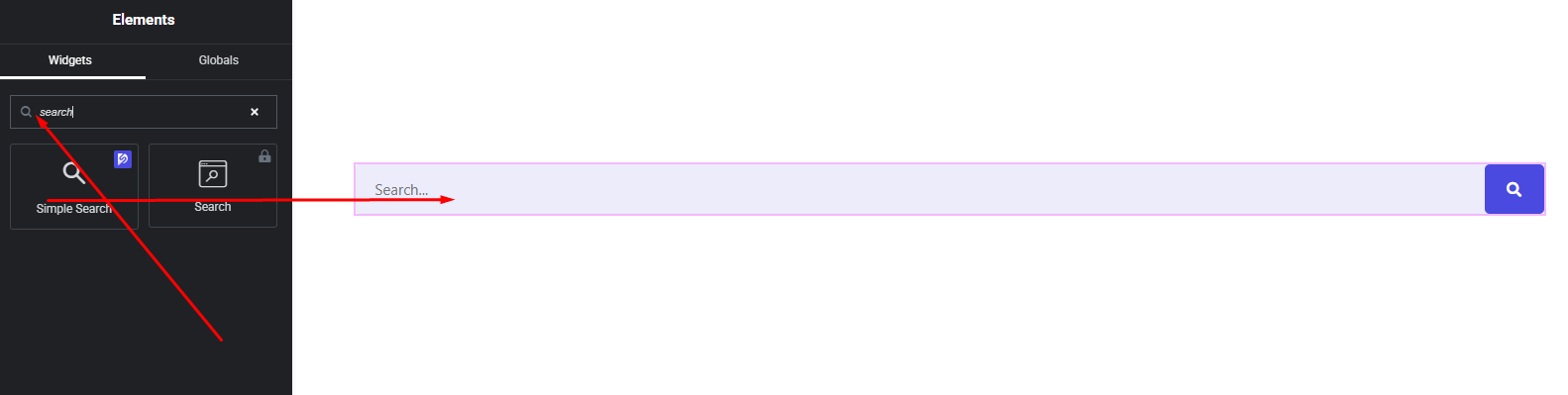
- Open your page in Elementor Editor.
- Search for “Simple Search”.
- Drag & drop it into your desired section.
- Choose your preferred layout.
Layout Options
The widget provides 4 layout styles:
Theme Default Search
A standard search input with button aligned in a row.
Classic Inline Search
Simple input field with clean button design.
Dropdown Search (Icon Click)
- Displays only a search icon.
- Clicking the icon opens a dropdown search box.
- Ideal for compact headers.
Full-Screen Modal Search
- Shows a button or icon.
- Clicking it opens a full-screen search overlay.
- Modern and distraction-free experience.
Perfect for creative and premium websites.
Content Settings
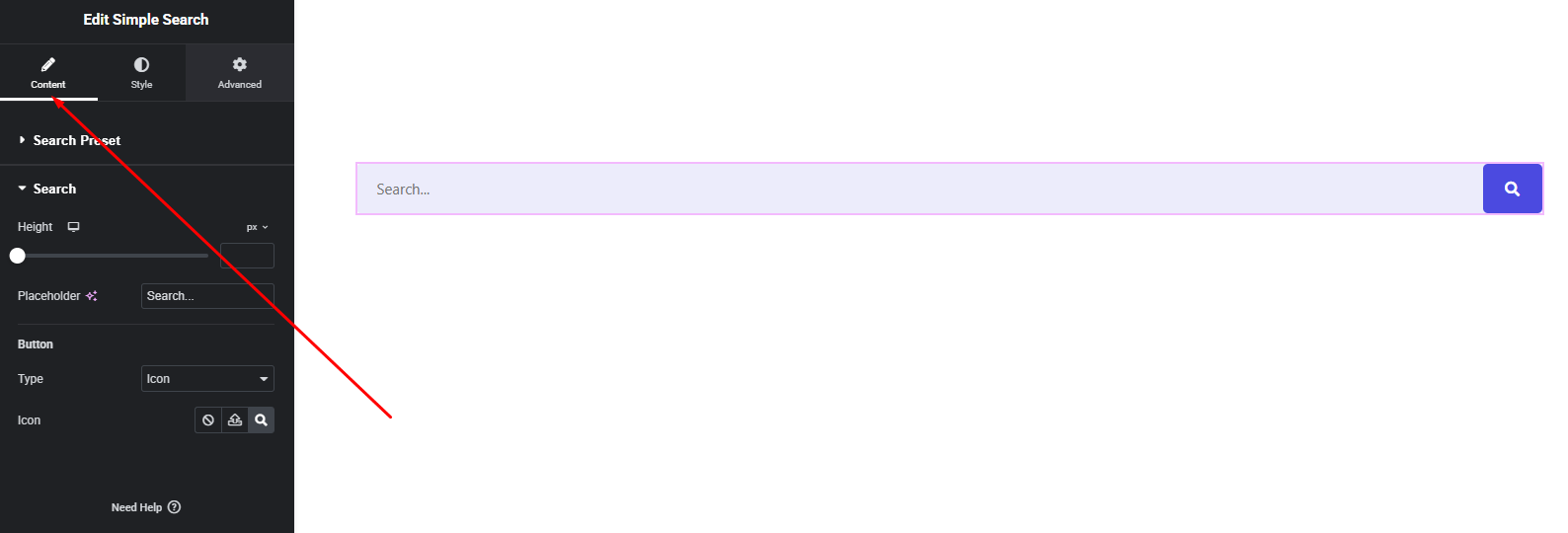
Available Options:
- Layout Selection (Choose from 4 styles)
- Placeholder Text (Custom search placeholder)
- Search Button Text / Icon
- Icon Position
- Show/Hide Submit Button
- Close Icon (for Modal Layout)
Dropdown Mode
- Opens on search icon click
- Closes on outside click
- Smooth animation
Full-Screen Modal Mode
- Full viewport overlay
- Centered search field
- Close button support
- Scroll lock when active
Provides a clean and distraction-free user experience.
Style Settings
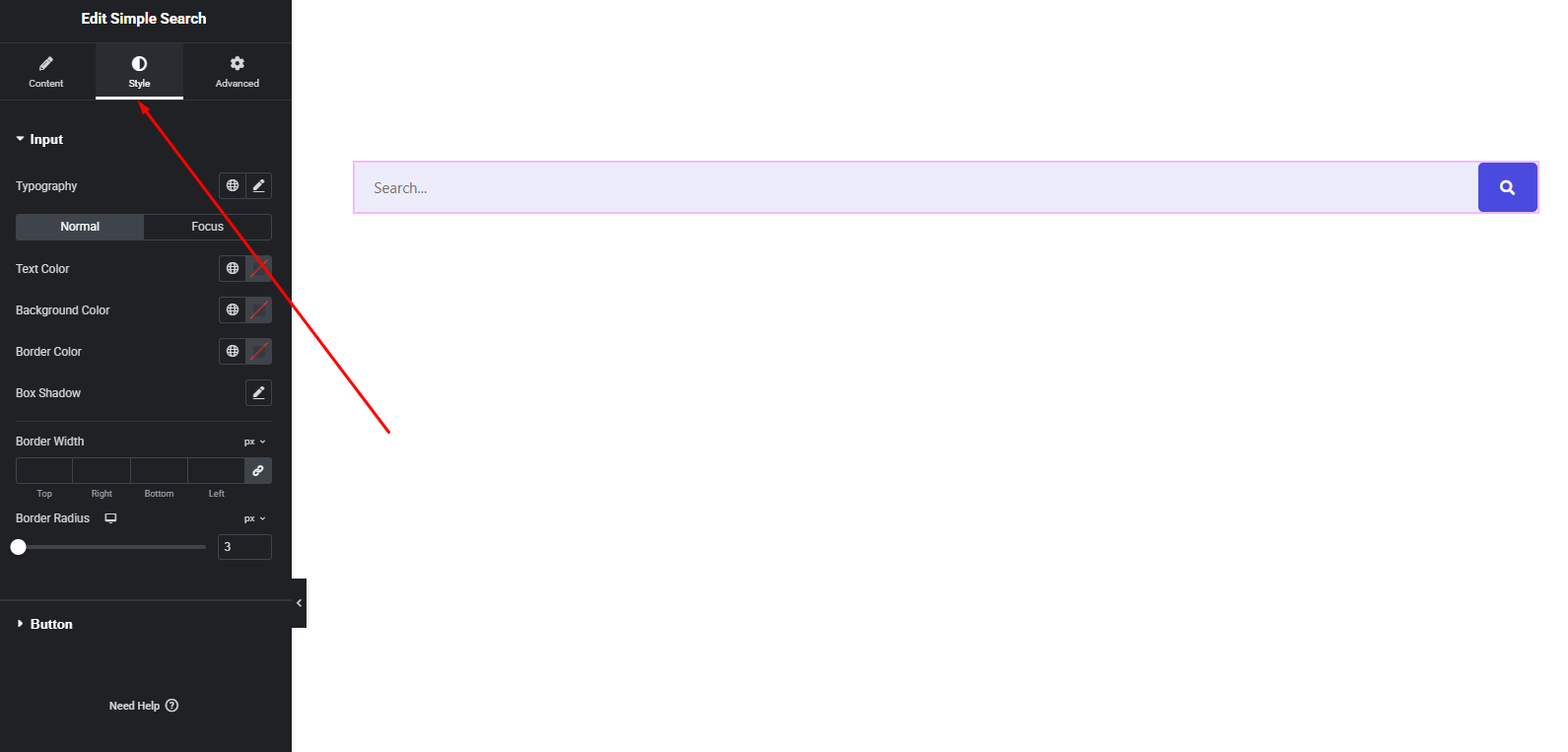
Input Field
- Typography
- Text color
- Background color
- Border & border radius
- Padding & spacing
Button / Icon
- Size
- Color (normal & hover)
- Background
- Border & shadow
Modal / Dropdown Style
- Overlay background color
- Animation effect
- Spacing & alignment
You can fully match the search design to your website branding.
Advanced Settings
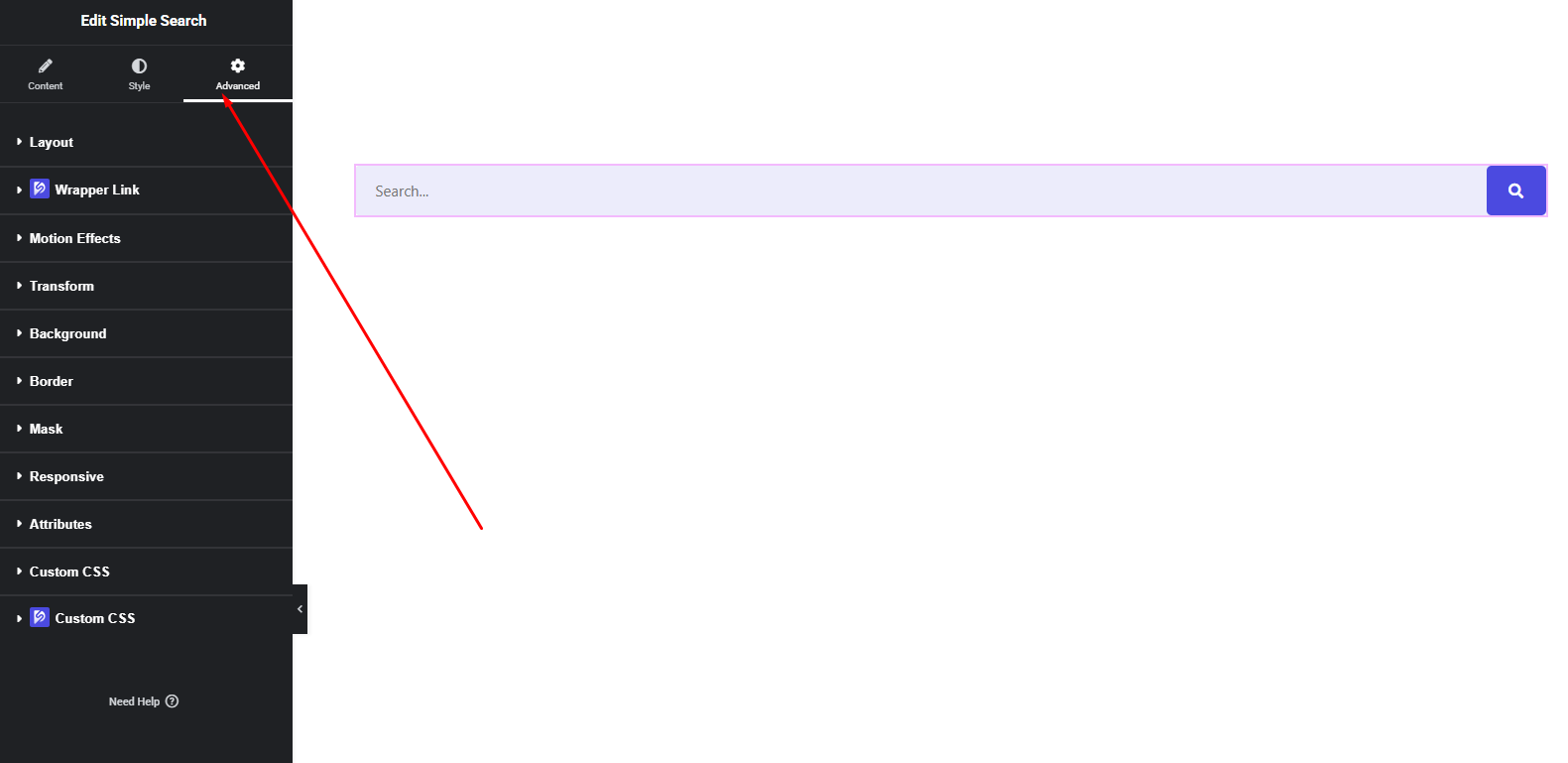
Includes:
- Margin & padding
- Background & border
- Motion effects
- Responsive visibility
- Custom positioning
Final Outcome
🎉 You now have a fully customizable Simple Search widget with modern dropdown and full-screen modal capabilities.
Whether you want a minimal header icon or a premium fullscreen search experience, this widget gives you complete control—without extra plugins or code.


